
Picking the right platform is the single biggest leverage point for a day trader. The wrong terminal turns winning setups into losing trades through latency, missing order types, or fragmented workflow across tabs. The right platform compresses your scan-to-execution loop into seconds and gives the same setup three to five times the realized edge. This guide breaks down the criteria that actually matter, the red flags to walk away from, and how a multi-exchange terminal beats single-venue tools for serious day-trading work.
Why the Platform You Pick Matters More Than the Strategy
Day traders make money on small edges, captured fast and repeated often. A 0.3% edge per trade compounded over 200 trades a month is a real living. That same edge gets erased by a 0.05% slippage hit, a 2-second order delay, or a 0.10% extra fee. The platform either preserves the edge or kills it.
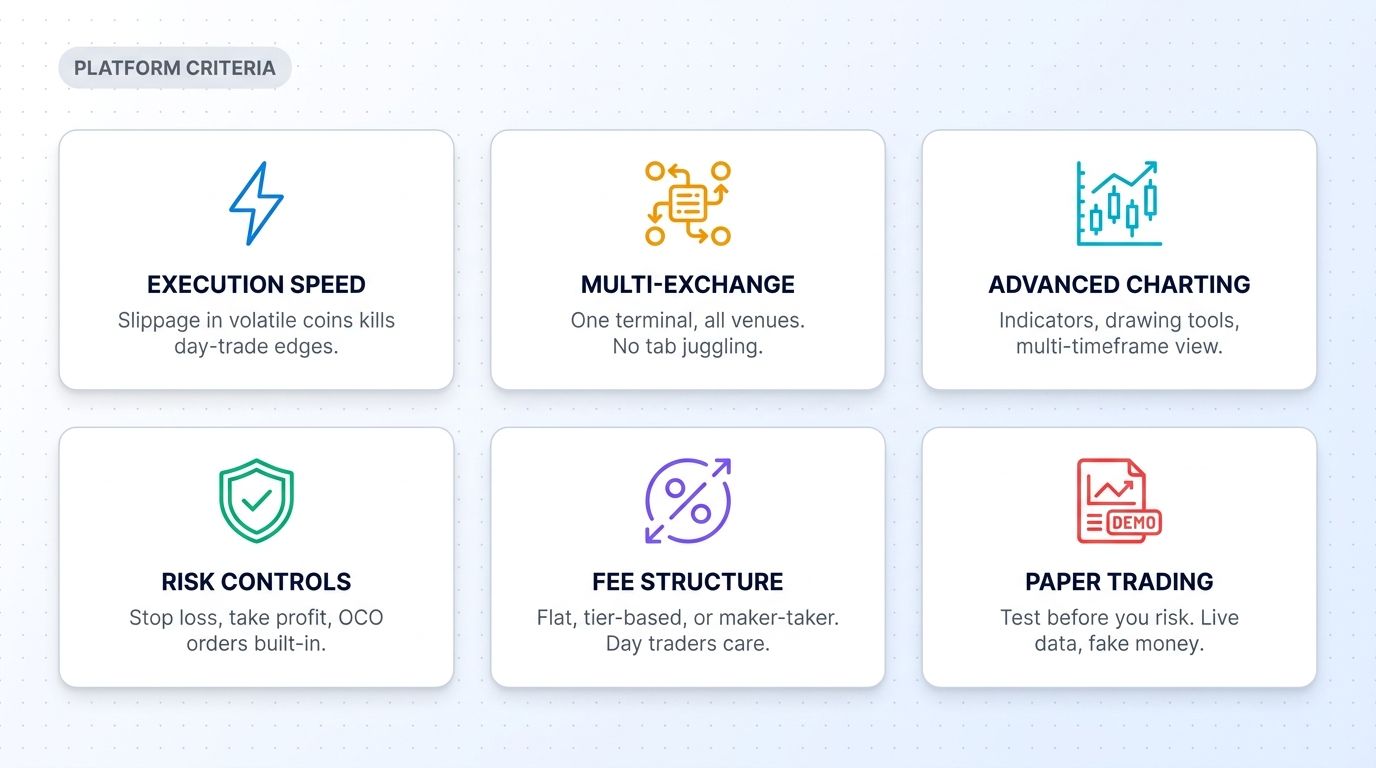
Most retail crypto platforms are built for buy-and-hold investors, not active traders. They have simple charts, basic order types (market, limit, stop), and single-exchange coverage. That works fine if you trade once a month. It does not work for day trading. A serious day-trading platform has to do six things well.
The Six Criteria That Actually Matter
Before evaluating any platform, run it against this checklist:
1. Execution Speed and Slippage
Day traders need their orders to hit the exchange in milliseconds and fill at the displayed price. Slippage on volatile coins can cost more than the entire intended profit on a scalp. Platforms that route orders through their own infrastructure (rather than your browser) typically execute faster.
2. Multi-Exchange Coverage
Crypto liquidity is fragmented across 20+ major exchanges. The best fill on BTC at any given moment might be on Binance, Coinbase, or Kraken. A platform that lets you trade across all major exchanges from one interface saves the time-and-tax cost of moving funds between venues. For day traders, this is the single biggest workflow improvement.
3. Advanced Charting
You need TradingView-grade charts: indicators, drawing tools, multi-timeframe view, custom alerts. If the platform's charts are limited to a few basic candle types and 5 indicators, the platform is not built for active traders.
4. Built-in Risk Controls
Every day trade needs a stop loss and a take profit defined at entry. Platforms that require you to manually place exit orders after entry are dangerous - one missed cancel and a winning trade becomes a losing one. Look for OCO orders, bracket orders, and trailing stop functionality natively built in.
5. Transparent Fee Structure
Day trading volume changes the fee math. A 0.10% maker fee at 100 trades per month is a 10% account drag. Look for tiered or volume-based pricing that rewards active traders. Beware platforms that advertise low headline fees but charge separately for withdrawals, deposits, or "platform usage."
6. Paper Trading Mode
Before deploying capital, you need to verify the platform's order flow with fake money. Paper trading on the same UI as live trading is the only way to learn the platform without paying tuition in real losses.
How Major Platforms Compare
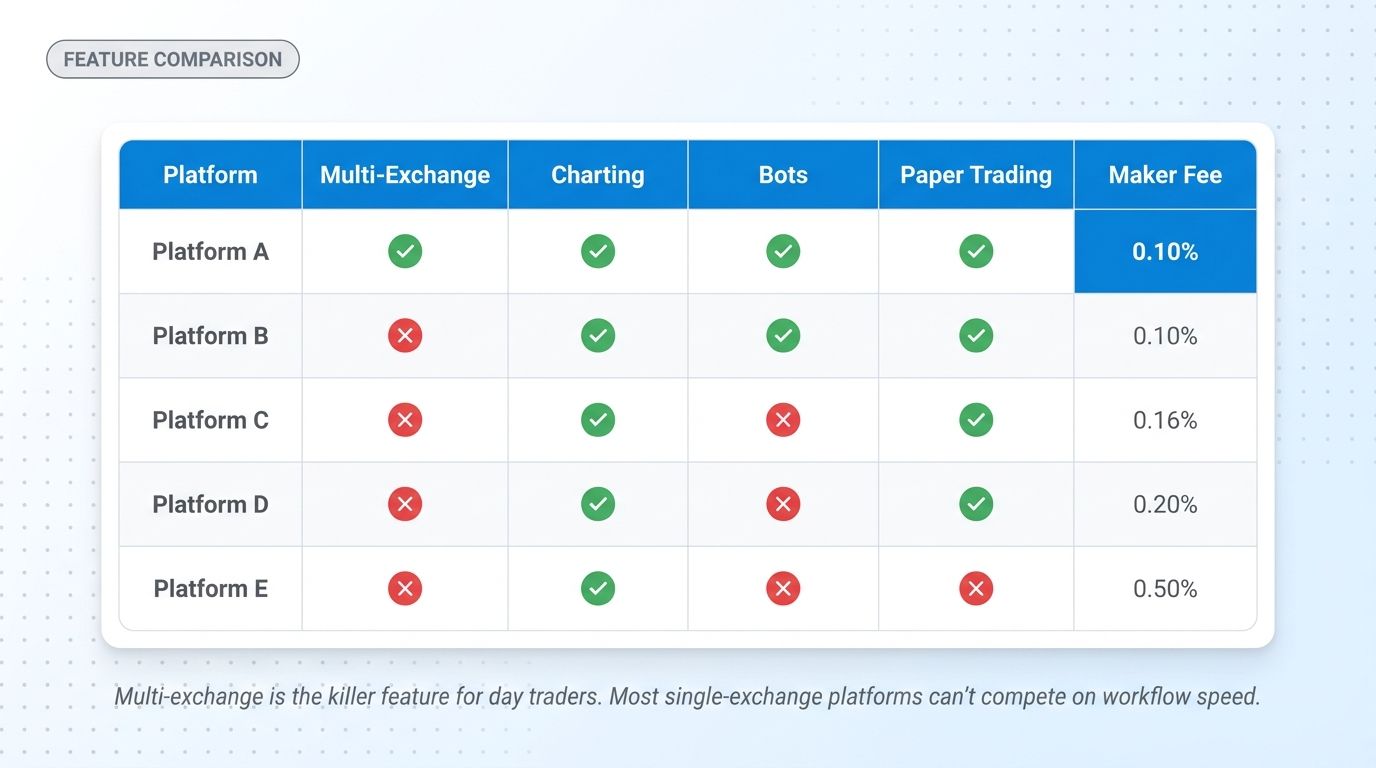
Without naming specific products (your evaluation should always be hands-on), here is what the day trading platform market generally looks like in 2026:
- Single-exchange terminals (Binance, Coinbase, Kraken native UIs): Free, decent charting, but only cover one venue. Workflow becomes painful as you add exchanges.
- TradingView-only setups: Excellent charts but require a separate broker integration to actually execute. Two-tool workflows add latency.
- Bot-first platforms (3Commas, Bitsgap, Cryptohopper): Strong on automation but optimized for set-and-forget bots, not active manual day trading. Charting and execution UX often secondary.
- Multi-exchange terminals (Altrady, etc.): Built for active traders. Multi-venue charting, smart order types, paper trading, and bot integration all in one platform. Higher monthly cost than single-exchange UIs but typically saves 5-10x in workflow speed.
The right pick depends on your trading style. Pure scalpers need the fastest execution and lowest fees. Swing traders care more about charting and alerts. Multi-exchange day traders care most about consolidated workflow.
The Multi-Exchange Day Trading Workflow
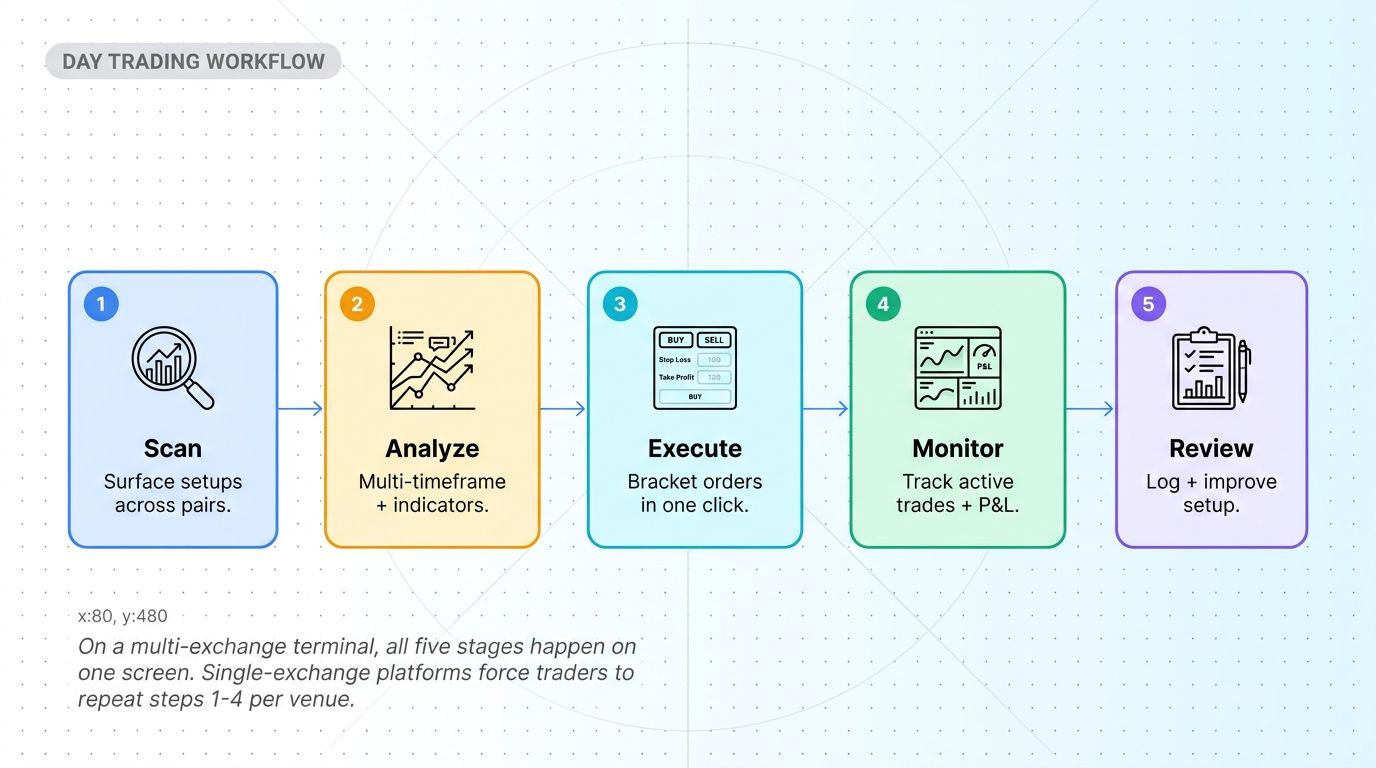
For a day trader running 5-15 setups per day across multiple coins and exchanges, the workflow looks like this:
- Scan - Quick Scanner surfaces setups across hundreds of pairs in seconds. Filter by breakout, volume spike, RSI level, or pattern formation.
- Analyze - Switch from scanner to chart in one click. Multi-timeframe view (4H + 1H + 15M) on a single screen for context.
- Execute - Bracket order ticket: entry, stop, take profit defined together. Place once, walk away.
- Monitor - All open positions across exchanges in one dashboard. P&L, exposure, time-in-trade visible.
- Review - Trading journal logs every entry and exit. Pattern analysis after 20-30 trades reveals what's working.
On a single-exchange terminal, this workflow has to repeat per venue. Want to scan BTC on Binance and SOL on Coinbase? That is two scans, two charts, two execution tabs, two monitor screens. The cost in time-per-decision is significant. Multi-exchange terminals collapse it.
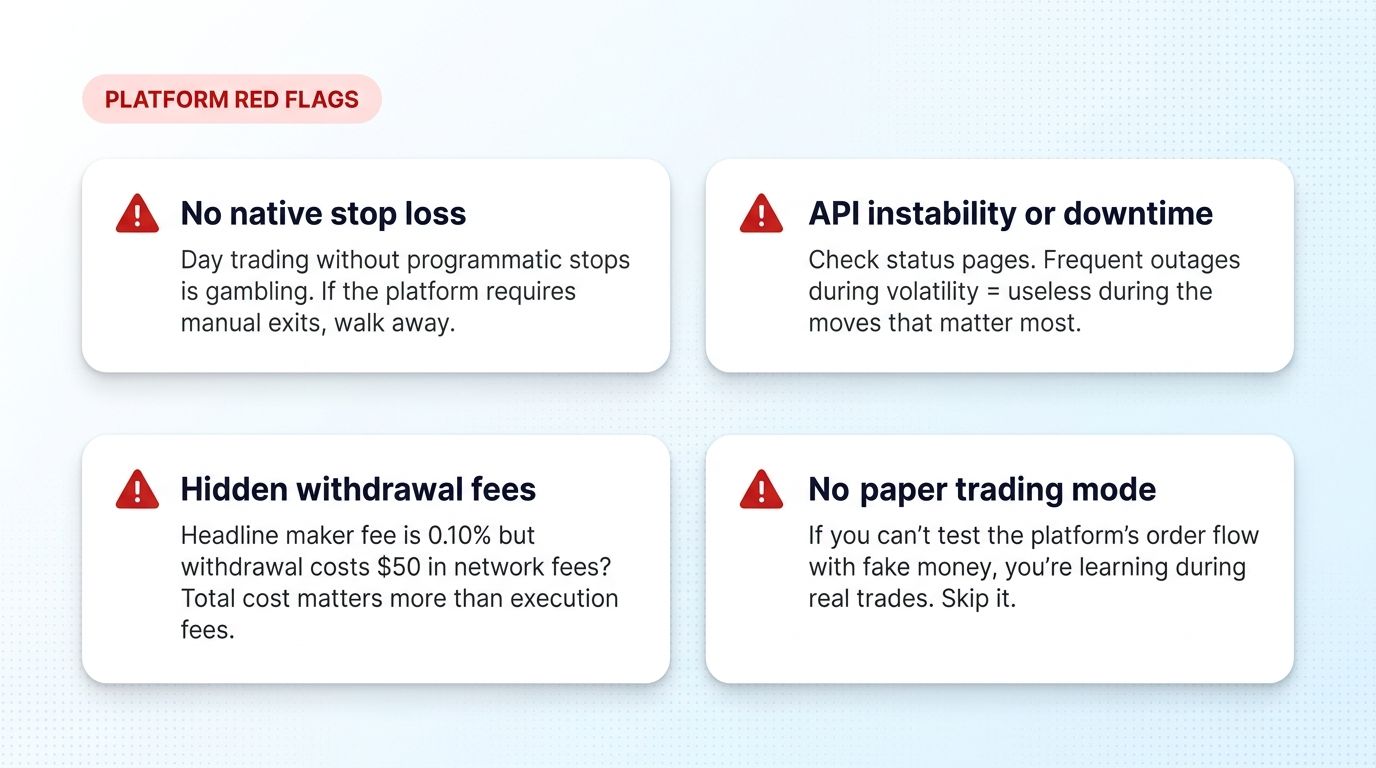
Red Flags That Should Disqualify a Platform
Some platforms fail the day-trading test in ways that cost more than they save:
- No native stop loss orders. Day trading without programmatic stops is gambling. If the platform requires you to manually exit, walk away - one missed manual cancel and a winning trade becomes a losing one.
- Frequent API outages. Check the platform's status page. Outages during volatile moves (the moments that matter most) reveal infrastructure that cannot handle real day-trading workloads.
- Hidden withdrawal or platform fees. A 0.10% headline maker fee can be misleading if withdrawals cost $50 each. Calculate total cost-per-round-trip including all fees.
- No paper trading mode. If you cannot test the platform's order flow without real money, you are learning during real trades. Skip it.
- Confusing or undocumented order types. Day traders need OCO, bracket, and trailing stops. If the platform's order menu only has market and limit, the platform is not for active trading.
What to Test During the Free Trial
Most multi-exchange platforms offer a free trial. Use the trial period to verify:
- Order placement speed. Time how long from "click submit" to "order confirmed" on multiple exchanges.
- Slippage on a real volatile setup. Place a market order during a volume spike and check the actual fill versus displayed price.
- Risk control reliability. Place an entry with a stop loss and verify the stop actually executes when triggered. Manual triggering during paper trade is fine for the test.
- Workflow speed across venues. Set up 3 charts on 3 exchanges and run 5 hypothetical entries. Measure how long the full loop takes.
- Customer support response. Email the support team with a complex question. Response speed and quality predicts how well they will handle a real production issue.
If the platform fails any of these tests during the trial, it will fail worse during real trading.
Why Altrady Is Built for Day Traders
Altrady was built specifically for active multi-exchange day traders. Every feature solves a real day-trading bottleneck:
- One terminal, all major exchanges. Trade BTC, ETH, SOL, and 200+ pairs across Binance, Coinbase, Kraken, Bybit, OKX, and others without leaving the dashboard.
- Smart Trading bracket orders with built-in stop loss, take profit, and trailing stop. Set once, execute automatically.
- Quick Scanner filters across hundreds of pairs by breakout, volume, RSI, or custom criteria. Surface setups in seconds.
- Advanced charting with TradingView-grade tools, drawing layers, multi-timeframe view, and custom alerts.
- Trading journal automatically logs every trade with notes, screenshots, and P&L tracking.
- Paper trading on the live UI so you can test workflow and strategies without risking capital.
The free trial includes full access to all features. Test the multi-exchange workflow against your current setup and compare time-per-decision before committing.
Conclusion
The platform you trade on determines how much of your edge survives execution. For day traders specifically, multi-exchange coverage, smart order types, advanced charting, and paper trading are non-negotiable. Single-exchange terminals work for retail HODLers. They do not work for active multi-pair day trading where every second of workflow speed compounds into thousands of dollars over the course of a year.
The right platform pays for itself within the first month if you trade actively. The wrong platform costs you the same amount in lost edge, missed trades, and execution friction. Test 2-3 platforms during their free trials, run the same workflow on each, and pick the one that handles your full trading day with the least friction.
Frequently Asked Questions
What is the best crypto day trading platform for beginners?
For beginners, the priority is paper trading mode and clean UI. Start with a multi-exchange platform that offers paper trading on the live interface (Altrady, Bitsgap) and learn the workflow with fake money before deploying capital. Once you know what setups you like, evaluate which platform's order types and execution best support those setups.
Do I need a multi-exchange platform for day trading crypto?
If you trade only one exchange, a multi-exchange platform is overkill - the native UI of Binance or Coinbase works fine. If you trade across 2 or more exchanges, a multi-exchange terminal saves enough workflow time per day to pay for itself within a month. Most active day traders end up using 3+ exchanges for liquidity and pair diversity.
What order types do I need for day trading crypto?
At minimum: market, limit, stop loss, and OCO (one-cancels-other). Bracket orders (entry + stop + take profit in one ticket) are critical for active day trading because they ensure your exits are programmed before you enter. Trailing stops are useful for trend continuation trades. If a platform only offers market and limit, it is not built for day trading.
How important is execution speed for crypto day trading?
Critical. Slippage on a fast-moving volatile coin can be 0.1-0.5% per trade. Over 100 trades per month, that is 10-50% account drag. Test execution speed during the platform's free trial - place a market order during a volume spike and compare the actual fill price to the displayed price. Anything beyond 0.1% slippage on liquid pairs is a red flag.
Are paper trading platforms accurate for crypto day trading?
Yes, when the paper trading runs on live exchange data with simulated fills. The main limitation is slippage modeling - paper trading assumes perfect fills at the displayed price, while real markets have slippage during volatility. Use paper trading to learn the platform and test setup logic, then expect real-trading results to be 10-20% worse on raw P&L due to slippage.
What fees should I expect on a crypto day trading platform?
Expect 0.05-0.20% per trade as the maker fee on major exchanges (Binance, Coinbase Pro, Kraken). Multi-exchange terminals add a flat monthly subscription ($25-100/month) but do not add per-trade fees on top of the exchange. Calculate total cost per round-trip trade and compare across platforms - low headline fees can hide high total costs through withdrawal fees or platform charges.
Can I day trade crypto with a small account?
Day trading works on accounts as small as $1,000-$3,000 if the platform supports fractional positions and low minimum order sizes. Below $1,000, fee drag and minimum-order constraints make consistent day trading difficult. Start with paper trading regardless of account size to learn the workflow without paying tuition.
Day trading rewards traders with the right tools and the right platform. Altrady gives you multi-exchange charting, smart bracket orders, advanced scanning, paper trading, and trading journal - everything an active day trader needs in a single terminal. Sign up for a free trial and test the full multi-exchange workflow against your current setup.