
Most retail trades go like this: enter a position, watch the price, panic-set a stop later. Pro traders never trust their future emotional state to manage exits - they use OCO orders. One-Cancels-Other automates the dance: place both your take-profit and stop-loss together, and whichever fires first cancels the other. The math is simple, the discipline upgrade is enormous, and most crypto exchanges support it natively in 2026.
What Is an OCO Order?
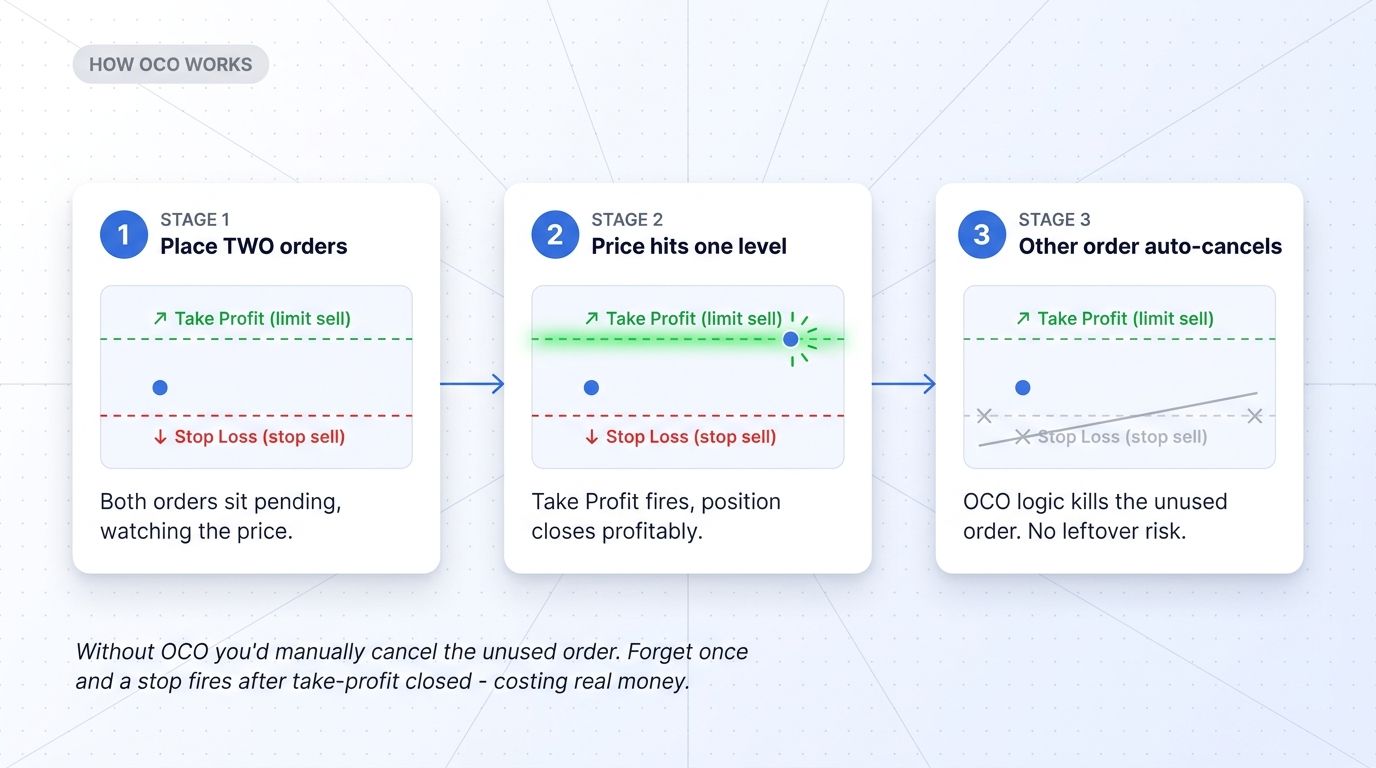
OCO stands for One-Cancels-Other. It's a conditional order type that lets you place two orders simultaneously, with the rule that if one of them fills, the other is automatically canceled. The orders typically pair a take-profit limit and a stop-loss order, both watching the same position. Whichever side hits first wins, and the unused order is killed without manual intervention.
The advantage is precision under emotional pressure. Without OCO, traders have to remember to manually cancel the unused exit when the other fires. Forget once - and that forgotten stop-loss can fire days later, dumping you out of a fresh position you've already taken profit on. OCO removes the human error loop entirely.
How OCO Orders Work in Practice
The mechanics are simple. Suppose you bought 1 BTC at $50,000. You want to take profit at $52,500 (+5%) but cap your downside at $49,500 (-1%). Without OCO:
- Place a limit sell at $52,500
- Separately place a stop-loss at $49,500
- Hope to remember to cancel one when the other fires
With OCO, you place both orders as one paired ticket. If price hits $52,500, the limit fills and the stop is canceled automatically. If price drops to $49,500, the stop fires and the limit is canceled. Either way, the trade closes cleanly and your account is back to cash with no orphan orders sitting in the book.
OCO vs Bracket Orders
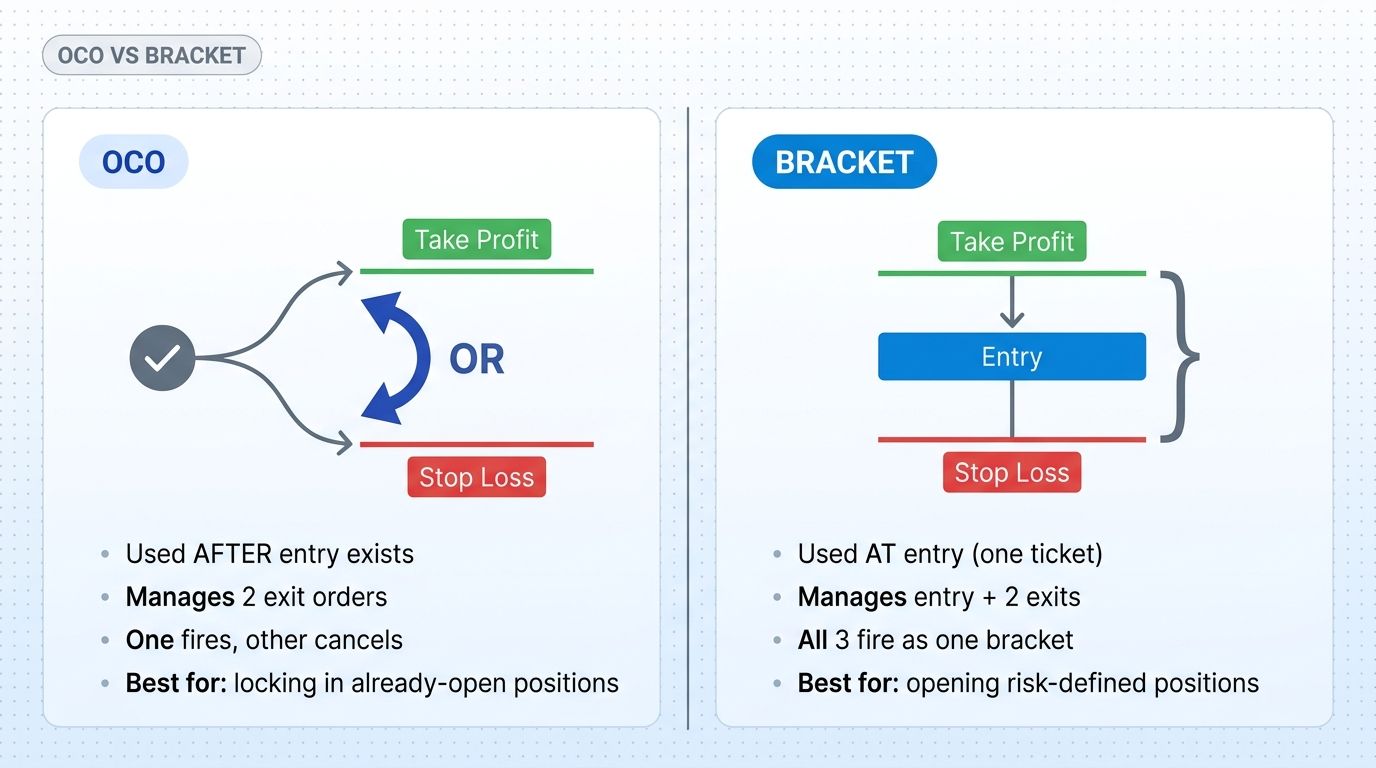
OCO is often confused with Bracket orders. Both manage exits, but they differ in scope:
- OCO Order: manages two exit orders for an existing position. You're already in the trade. OCO is layered on top to handle when and how you exit.
- Bracket Order: manages entry + take-profit + stop-loss as a single unit. You aren't in the trade yet - the bracket places the entry and pre-defines both exits in advance.
For active day traders, bracket orders are the cleaner choice on new entries. For positions you already hold (carry-overs from prior sessions, swing trades you adjust), OCO is the right tool to manage exits without re-entering.
Common OCO Use Cases for Crypto Traders
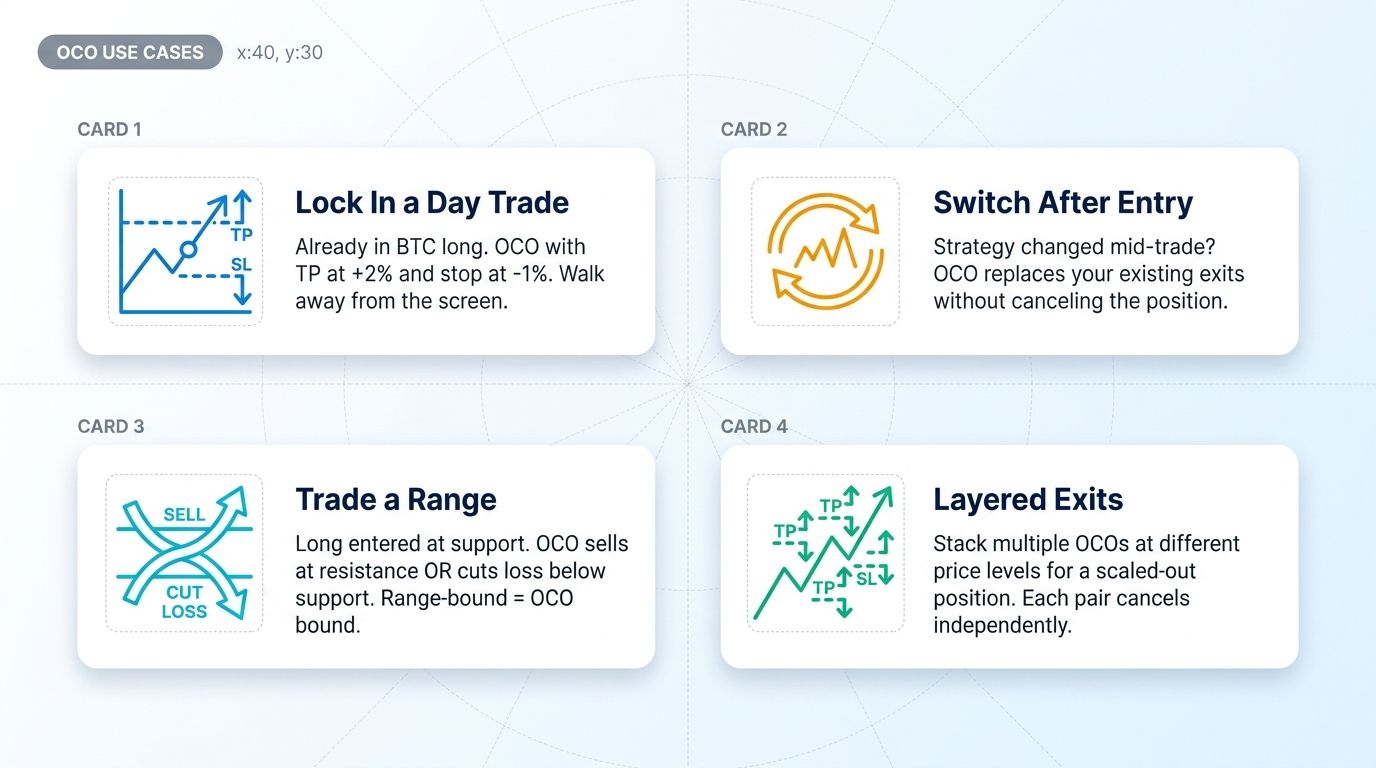
Lock In a Day Trade After Entry
You're already long BTC from $50,000. You want to either take profit at $51,000 (+2%) or stop out at $49,500 (-1%). Place the OCO and walk away from the screen. Either side resolves the trade.
Switch Exits Mid-Trade
Your trade thesis changed. Maybe technical structure shifted and you want to tighten the stop, or volatility expanded and you want a wider profit target. Cancel the existing OCO, place a new one with updated levels. The position itself doesn't move - only the exit logic.
Range Trading
You bought near support, expecting price to bounce to resistance. OCO lets you place the resistance limit AND the support-break stop simultaneously. Range plays out, OCO handles the exit. Works equally well for short positions in a downtrend channel.
Layered or Scaled Exits
Position size 4 BTC, want to scale out at three different price levels. Place 3 OCO pairs at staggered prices, each with its own stop. Each pair operates independently - first OCO fires, others continue running until their levels hit.
How to Place an OCO Order
Most major exchanges support OCO natively. The exact form varies, but the data you need is consistent:
- Direction: are you closing a long (sell OCO) or short (buy OCO) position?
- Quantity: the asset amount being managed by the pair.
- Take-profit price: the limit price where you want to lock gains.
- Stop-loss price: the trigger price where the stop activates.
- Stop-limit price (optional): some platforms let you turn the stop into a stop-limit instead of stop-market. Trade-off: better fill control vs risk of not filling at all in fast markets.
Once submitted, both orders sit pending in the order book. They watch the same instrument, and the OCO logic on the exchange's matching engine cancels the unfilled side when the other fills.
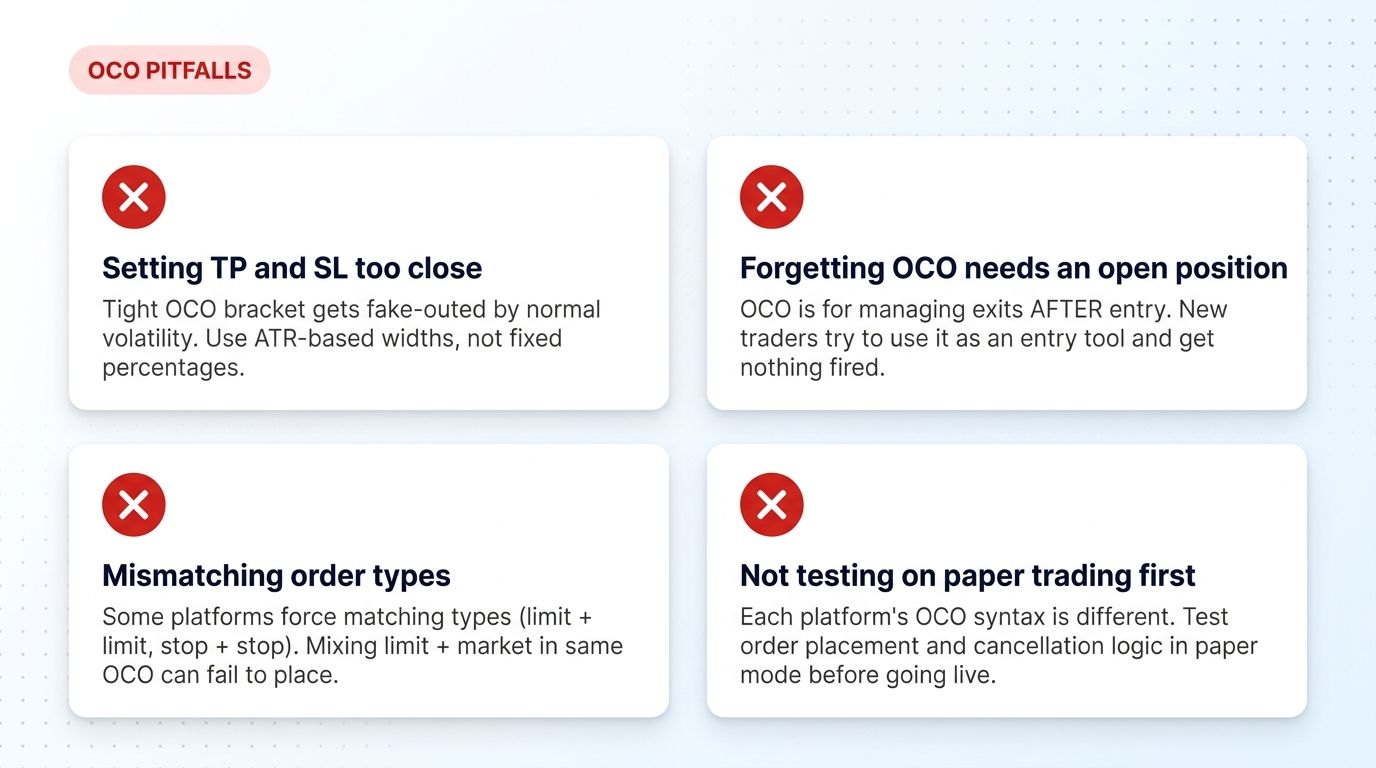
Common Mistakes With OCO Orders
Setting TP and SL Too Close
A 0.5% take-profit and 0.5% stop on a normally volatile coin is just a coin flip with extra steps. The bracket gets fake-outed by routine intraday noise. Use ATR-based widths - target at least 1.5x ATR, stop at minimum 1x ATR.
Trying to Use OCO as an Entry
OCO manages exits. It doesn't open positions. Newer traders sometimes try to use OCO to enter (buy at one price OR sell short at another) and find the orders never fire. For entry brackets, use Bracket Orders instead.
Mismatching Order Types
Some platforms force matching types - both legs must be limits, or both must be stops. Mixing limit + stop in a single OCO can fail to place silently. Check your exchange's docs and test with small size first.
Skipping Paper Trading the Logic
Each platform's OCO syntax is slightly different. Test order placement, cancellation, and fill behavior in paper mode before going live with real capital. Paper trading reveals quirks that the marketing page doesn't.
Using OCO Orders in an Altrady Workflow
Altrady's Smart Trading interface gives you OCO order placement across multiple exchanges from one terminal:
- Cross-exchange OCO - place an OCO on BTC across Binance, Coinbase, or Kraken without switching tabs.
- One-click bracket setup - templates for common OCO configurations (1:2 R:R, 1:3 R:R, ATR-based) so you don't manually calculate levels every trade.
- Paper trading on the live UI for testing OCO logic on each exchange before going real.
- Trading journal automatically logs every OCO entry/exit with notes and screenshots.
Sign up for a free trial and run OCO orders on real exchange data without risking capital.
Conclusion
OCO is one of the simplest, highest-leverage upgrades a manual trader can make. The order type itself is mechanical - place TP and SL together, one cancels the other - but the discipline impact is significant. Traders who routinely forget to manage exits, panic-cancel stops during volatility, or hold orphan orders for days all benefit immediately from OCO.
Pair it with proper position sizing and a journaled review process and you remove three of the most common ways retail accounts bleed capital: forgotten stops, emotion-driven exits, and orphan orders. The setup takes one minute. The compound benefit shows up over hundreds of trades.
Frequently Asked Questions
What does OCO mean in trading?
OCO stands for One-Cancels-Other. It's a conditional order type that pairs two orders together so that when one fills, the other is automatically canceled. Most commonly used to combine a take-profit limit with a stop-loss for an existing position.
What is the difference between OCO and bracket orders?
OCO manages two exit orders for an existing position - you're already in the trade. Bracket orders combine an entry with two exits (take-profit and stop-loss) as a single unit, placed before the trade is open. OCO is for managing existing positions; bracket is for opening new ones with risk pre-defined.
Do all crypto exchanges support OCO orders?
Most major exchanges (Binance, Coinbase, Kraken, Bybit, OKX) support OCO natively in 2026. Smaller or retail-focused exchanges may not. Always check the order-types documentation before assuming. If your platform doesn't support OCO directly, multi-exchange terminals like Altrady provide it as a layer over the exchange API.
How do I place an OCO order?
Set the direction (close long or close short), quantity, take-profit price, and stop-loss price (and optionally stop-limit). Submit both as one paired ticket. The exchange's matching engine watches both orders and cancels the unfilled side when the other fills.
Can OCO orders be used to enter trades?
Standard OCO is for managing exits on existing positions, not entries. To enter trades with bracketed risk (entry + stop + take-profit pre-defined), use Bracket Orders instead. Some platforms blur the line - check your exchange's order-type documentation.
What's the biggest risk with OCO orders?
Setting take-profit and stop-loss too close together so normal volatility fakes out the bracket. Use ATR-based widths (target at least 1.5x ATR, stop at minimum 1x ATR) instead of arbitrary percentages. Also: test OCO syntax on each platform with small size before relying on it for real positions.
Are OCO orders the same as conditional orders?
OCO is a specific type of conditional order. Conditional orders is the broader category covering any order whose execution depends on a condition - includes OCO, stop orders, trigger orders, and trailing stops. All OCOs are conditional orders, but not all conditional orders are OCOs.
OCO is one of the cleanest discipline upgrades available to manual crypto traders. Altrady gives you OCO order placement across multiple exchanges, one-click templates, paper trading mode, and trading journal in a single terminal. Sign up for a free trial and run OCO logic on real exchange data without risking capital.