
Hardware wallets have become the gold standard for securing cryptocurrency assets. As digital assets grow in value and cyber threats become more sophisticated, keeping your crypto on an exchange or a software wallet is no longer enough for serious holders. A hardware wallet gives you direct, offline control over your private keys, keeping your funds safe even if your computer or smartphone is fully compromised.
In this guide, you will learn exactly how hardware wallets work, how they compare to software wallets, which devices stand out in 2026, how to set one up, and the best practices that keep your assets protected for the long term.
1. How Hardware Wallets Work
To understand why hardware wallets matter, you first need to understand what a private key is. In crypto, a private key is a long string of characters that proves ownership of your funds. Whoever holds the private key controls the assets. Lose it, and you lose everything. Let someone else access it, and they can drain your wallet in seconds.
A hardware wallet is a small physical device, typically USB-sized, that stores your private keys in a secure chip that never connects directly to the internet. This concept is called cold storage: your keys stay offline, isolated from all network threats.
The Offline Signing Process
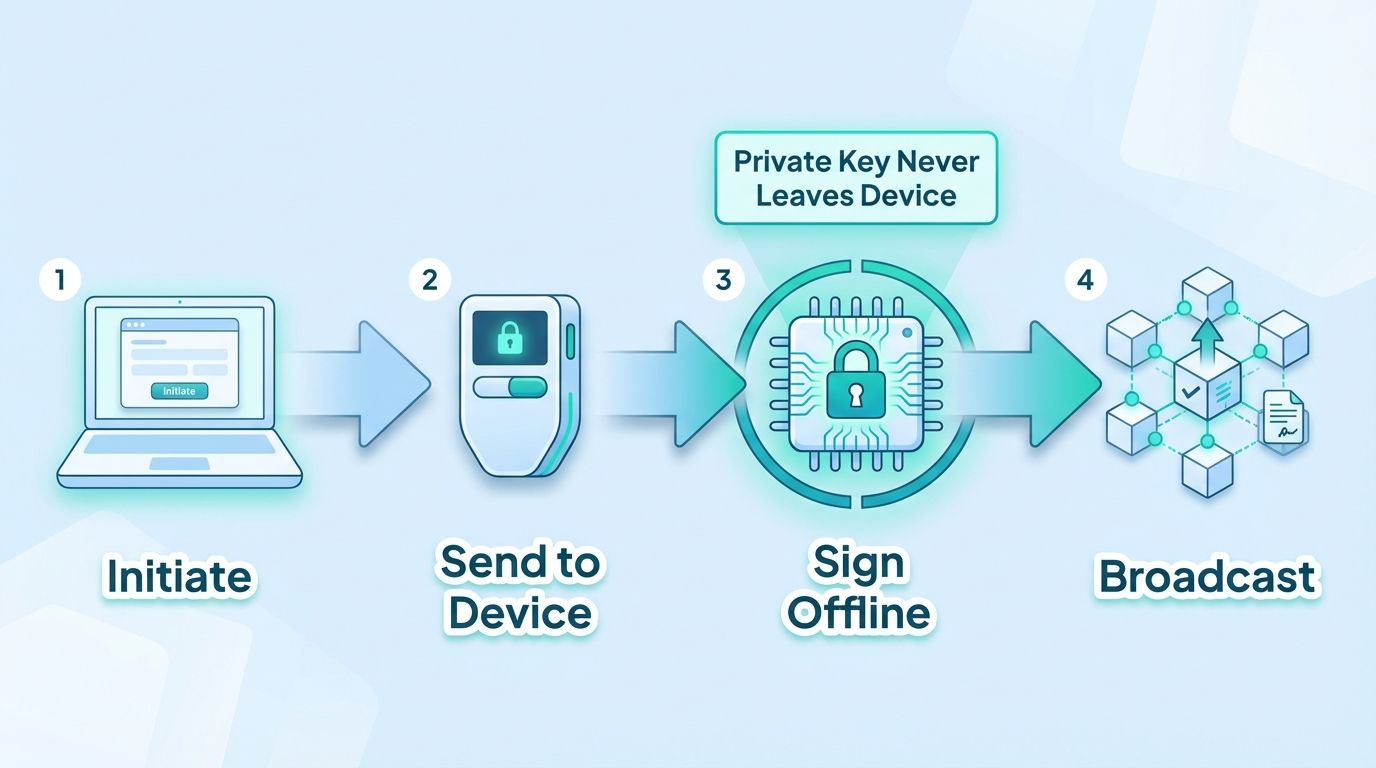
Here is how a transaction works when you use a hardware wallet:
- You initiate a transaction on your computer or phone using companion software (such as Ledger Live or Trezor Suite).
- The unsigned transaction data is sent to the hardware wallet device.
- The device signs the transaction internally, using the private key stored in its secure element chip. The private key never leaves the device.
- The signed transaction is returned to your computer and broadcast to the blockchain network.
This offline signing model is the core security advantage of hardware wallets. Even if your computer has malware, a keylogger, or a fake clipboard address, the private key remains safe inside the device. An attacker on your computer can see you are making a transaction, but they cannot intercept or alter the signing process without physical access to the device and your PIN.
Seed Phrases and Recovery
When you set up a hardware wallet, the device generates a seed phrase, a list of 12 to 24 random words that serves as a master backup. This seed phrase can restore access to all your crypto on any compatible wallet if your device is lost or damaged. Guard this phrase with your life. Anyone who has it can reconstruct your private keys.
2. Hardware Wallet vs. Software Wallet
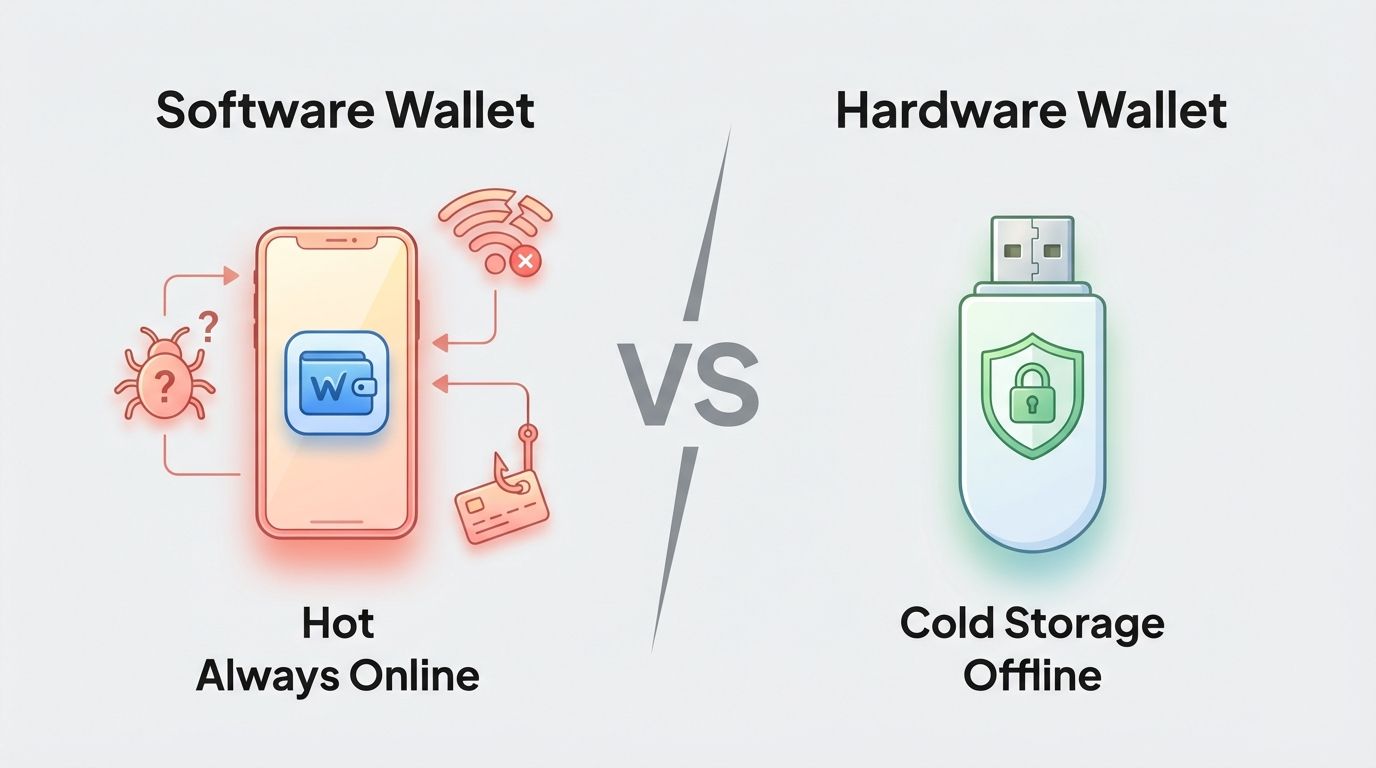
Software wallets, also called hot wallets, are applications that store private keys on an internet-connected device. They include browser extensions like MetaMask, mobile apps, and desktop clients. They are convenient and free, which makes them popular for daily use and small amounts.
Hardware wallets are dedicated physical devices designed with one purpose: to keep private keys offline and protected.
Security Comparison
- Attack surface: A software wallet runs on a general-purpose device (phone, laptop) that also browses the web, runs apps, and receives emails. Every one of those activities is a potential attack vector. A hardware wallet runs only its own firmware, with no background processes and no internet access.
- Key exposure: In a software wallet, your private key is stored encrypted on the device, but it must be loaded into memory to sign transactions. Memory can be read by malware. In a hardware wallet, the key is stored in a tamper-resistant secure element and never enters the host computer's memory.
- Phishing resistance: If you visit a fake website using a software wallet, you might accidentally approve a malicious contract. With a hardware wallet, every transaction must be physically confirmed on the device screen, giving you a final checkpoint before funds move.
- Cost: Hardware wallets cost between $50 and $250. Software wallets are free. For small amounts, a reputable software wallet may be reasonable. For significant holdings, the cost of a hardware wallet is trivial compared to the risk.
- Convenience: Software wallets win on convenience. They are instant to use and require no physical device. Hardware wallets require you to have the device present when signing, which adds friction. That friction is intentional and valuable from a security standpoint.
The practical recommendation used across the crypto community is clear: use a software wallet for small daily transaction amounts, and move the bulk of your holdings to a hardware wallet. Think of the software wallet as your checking account and the hardware wallet as a vault.
3. Top Hardware Wallets in 2026
The market has matured significantly, and several devices have proven themselves over multiple years. Here are the top hardware wallets available in 2026, covering a range of use cases and budgets.
1. Ledger Nano X
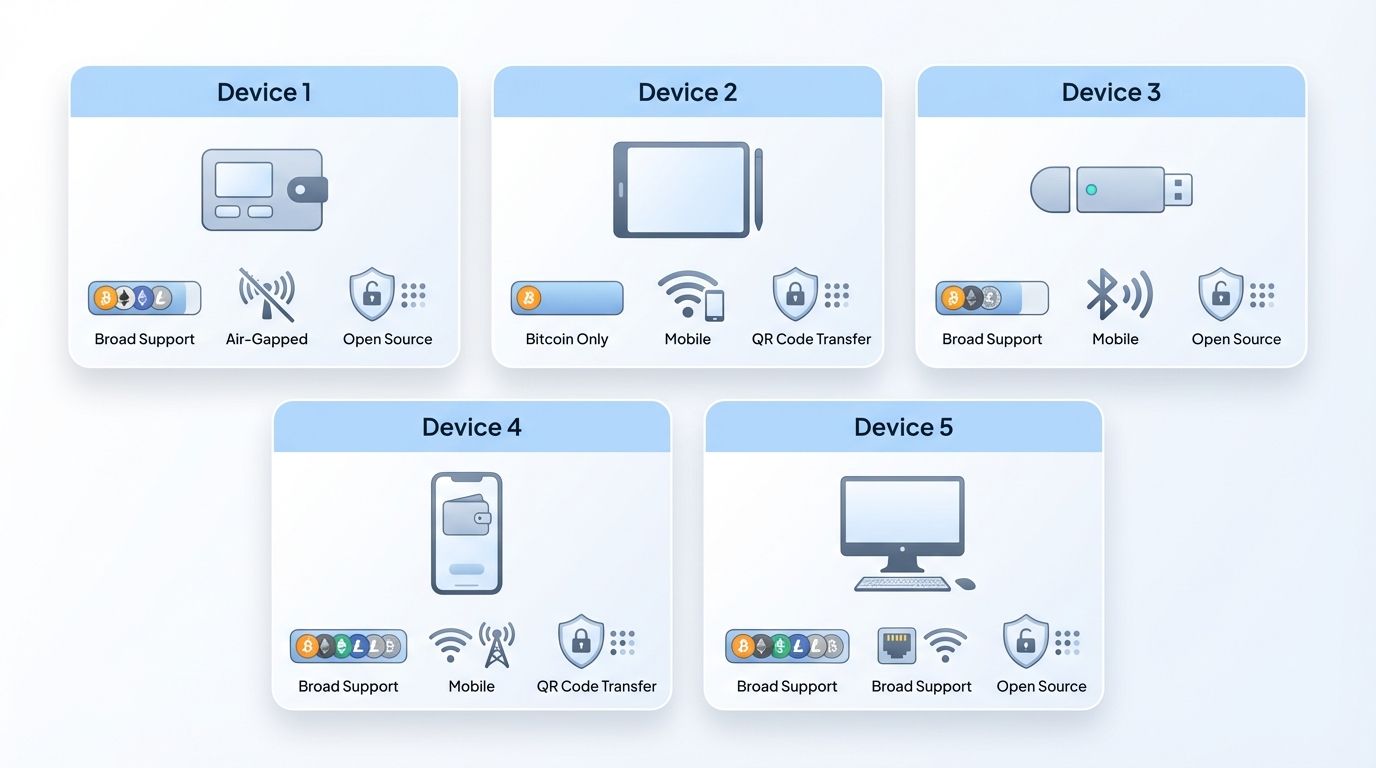
The Ledger Nano X remains one of the most widely used hardware wallets in the world. It connects via Bluetooth, making it compatible with mobile devices, which is useful for users who manage their portfolio on the go. It supports over 5,500 cryptocurrencies and NFTs through the Ledger Live companion app. The device stores private keys in a certified secure element chip (CC EAL5+). Battery life is adequate for normal use sessions. The Nano X is best suited for users who want broad asset support and mobile flexibility.
2. Trezor Model T
Trezor invented the hardware wallet category and the Model T continues that legacy with a color touchscreen interface that makes navigation intuitive. It is fully open source, both hardware and firmware, which means security researchers worldwide can audit the code. Trezor uses no secure element chip but compensates with physical design choices that make chip extraction attacks difficult. It supports a wide range of coins and integrates with popular DeFi tools. The Model T appeals to users who value transparency and open-source verification above all else.
3. Coldcard Mk4
Coldcard is the preferred hardware wallet for Bitcoin maximalists and advanced security users. It supports Bitcoin only, which is a deliberate design choice: a narrower attack surface means fewer vulnerabilities. Coldcard is the only mainstream hardware wallet that can operate entirely air-gapped, meaning it never needs to connect to a computer at all. Transactions can be signed using a microSD card as the only data transfer method. It also supports multisignature setups, which require multiple devices to authorize a transaction. Coldcard is not beginner-friendly, but for those securing significant Bitcoin holdings, it is unmatched.
4. Keystone Pro
The Keystone Pro takes a different approach to air-gapped security by using QR codes for all data transfer instead of USB or Bluetooth. You scan a QR code from your software wallet into Keystone, sign the transaction offline, and scan the signed QR code back. No physical cable connection is ever made. The device has a large touchscreen and a rechargeable battery. It integrates directly with MetaMask, Solflare, and several other popular wallets. Keystone is an excellent choice for DeFi users who want strong security without sacrificing usability.
5. BitBox02
The BitBox02 is manufactured by Shift Crypto, a Swiss company, and comes in Bitcoin-only and multi-edition versions. Like Trezor, it is fully open source. The device is compact and has a minimalist design, and its companion app is clean and easy to use. Notable features include support for running your own full node and a microSD card backup slot for encrypted seed phrase storage. It is an ideal choice for users who prioritize privacy and simplicity.
4. How to Set Up a Hardware Wallet
The setup process varies by device, but the general steps follow the same pattern across all major hardware wallets.
- Purchase only from the official manufacturer's website or an authorized reseller. Never buy a hardware wallet from a third-party marketplace like eBay or Amazon from unofficial sellers. A tampered or pre-initialized device is one of the most common hardware wallet scams.
- Inspect the packaging on arrival. Check that all tamper-evident seals are intact. If anything looks unusual, do not use the device and contact the manufacturer.
- Download the official companion software. Use Ledger Live for Ledger, Trezor Suite for Trezor, and so on. Download only from the manufacturer's official website. Verify the download if a verification hash is provided.
- Connect the device and follow the on-screen setup. The device will walk you through creating a new wallet. Choose a strong PIN, typically 6 to 8 digits. Avoid predictable combinations like 123456 or your birth year.
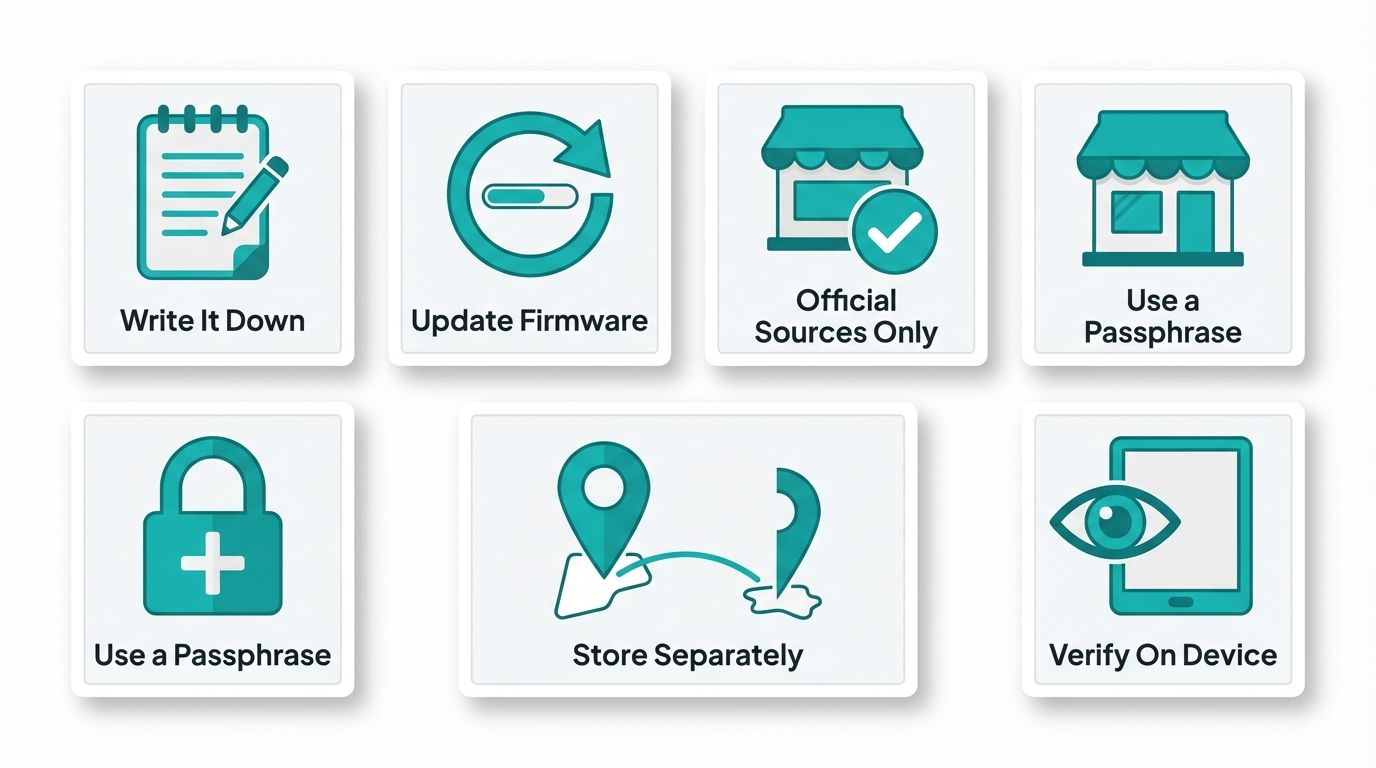
- Write down your seed phrase carefully. The device will display your 12 or 24 seed words one at a time. Write them down on paper, in order, exactly as shown. Do not type them into any device or take a photo. Most manufacturers include a recovery card in the box for this purpose.
- Verify your seed phrase. The device will ask you to confirm several of the words in order. This step ensures you recorded them correctly. Do not skip it.
- Transfer a small test amount first. Before moving significant funds, send a small amount to your new wallet address, confirm it arrives, and then send it back out. This verifies the setup is working correctly before you commit large balances.
5. Best Practices for Hardware Wallet Security
Owning a hardware wallet is only step one. How you use and store it determines whether it actually protects your assets.
Protect Your Seed Phrase Above Everything Else
Your seed phrase is the master key. The hardware device itself is just a convenient way to use it. If someone gets your seed phrase, the device is irrelevant, they can restore your wallet on any compatible software and drain it. Never store your seed phrase digitally, not in a cloud note, not in an email draft, not in a photo on your phone. Write it on paper and store it in a physically secure location. Many users use fireproof and waterproof metal backup solutions for long-term storage.
Keep Firmware Updated
Hardware wallet manufacturers regularly release firmware updates that patch security vulnerabilities and add support for new assets. Check for updates periodically using your official companion software. Verify the update is legitimate before installing it. A genuine update will always be delivered through the official companion app, not through a browser popup or an unsolicited email.
Buy Only from Official Sources
This point cannot be repeated enough. A pre-compromised device is a real threat. Scammers sell hardware wallets that already have a seed phrase set up, wait for the buyer to deposit funds, and then drain the wallet using the seed phrase they already know. The legitimate device companies never include a pre-filled seed phrase or PIN in the box. If your new device comes with a seed phrase already written on a card, return or destroy it immediately.
Use a Passphrase for Advanced Protection
Most hardware wallets support an optional passphrase, sometimes called the 25th word, that is added on top of your seed phrase. This creates an entirely separate wallet that cannot be accessed with the seed phrase alone. Even if someone discovers your seed phrase, they still cannot access the passphrase-protected wallet without knowing the passphrase. This is an advanced feature, but powerful for users with significant holdings.
Consider a Physical Security Plan
Think about where you store both the device and the seed phrase backup. Storing them in the same location defeats the purpose of having a backup. Keep the seed phrase in a different physical location from the device. For very large holdings, some users store seed phrase backups in bank safety deposit boxes.
Be Cautious About What You Connect To
Always confirm transaction details on the hardware wallet screen itself, not just on your computer. Malware can alter the destination address shown on your screen, but the device screen shows what it actually received. If the address on your device does not match what you intended, reject the transaction immediately.
Start Trading Smarter with Altrady
Securing your crypto with a hardware wallet is one side of the equation. Trading it efficiently is the other. Altrady is a professional-grade crypto trading platform built for traders who want to execute faster, manage risk better, and never miss a market opportunity.
With Altrady, you get multi-exchange portfolio tracking in one dashboard, advanced order types including trailing stop and scaled orders, real-time alerts, and a suite of automation tools that work while you sleep. Whether you are a day trader or a long-term holder who occasionally repositions, Altrady gives you the control and visibility your strategy deserves.
Try Altrady free for 5 days, no credit card required. See why thousands of crypto traders trust Altrady to power their workflow every day.
Frequently Asked Questions
Is a hardware wallet completely hack-proof?
No device is completely hack-proof, but hardware wallets eliminate the most common attack vectors. Since private keys are stored offline in a secure chip and never exposed to the internet, remote attacks have no effect. Physical attacks on the device are theoretically possible but require sophisticated equipment and are impractical in most real-world scenarios. The biggest risk is user error: losing the seed phrase, falling for social engineering, or buying from a compromised source.
What happens if I lose my hardware wallet?
If you lose the device but have your seed phrase, you can restore full access to your funds by importing the seed phrase into a new compatible device or even a software wallet. Your crypto lives on the blockchain, not inside the physical device. The device is simply a secure way to use your keys. This is why protecting your seed phrase backup is critical, it is your true lifeline.
Can a hardware wallet hold multiple cryptocurrencies?
Most hardware wallets support hundreds or thousands of cryptocurrencies. Ledger Nano X supports over 5,500 assets. Trezor Model T and Keystone Pro also support a wide range of coins and tokens. The exception is Coldcard, which supports Bitcoin only by design. When evaluating a hardware wallet, check the supported asset list on the manufacturer's website to confirm your specific tokens are included.
How often should I update my hardware wallet firmware?
You should check for firmware updates every few months, or whenever the manufacturer announces a security patch. Updates are delivered through the official companion app and typically take only a few minutes to install. Before updating, make sure your seed phrase backup is accessible and verified, so you can recover your wallet if anything unexpected occurs during the update process. Staying current with firmware is an essential part of hardware wallet maintenance.
Do I need a hardware wallet if I only hold a small amount of crypto?
There is no strict dollar threshold, but a common guideline is: if you would be upset losing it, protect it. Hardware wallets start at around $50, and that one-time cost provides a meaningful security upgrade regardless of portfolio size. For users new to crypto testing with small amounts, a reputable software wallet may be fine to start. As holdings grow, migrating to a hardware wallet is a responsible step in any security strategy.