Trade Better and Faster On Bitmart Exchange with Altrady
Altrady empowers swing traders to grow their crypto portfolios with advanced automation and a feature-rich trading terminal, fully optimized for the Bitmart exchange.

Why Trade on Bitmart with Altrady?
Bitmart is a popular crypto exchange, but its native interface lacks the advanced tools serious traders need. Altrady adds professional-grade automation, smart orders, and portfolio tracking on top of Bitmart, so you get the liquidity of Bitmart with the precision of a dedicated trading terminal.
Trading on Bitmart
- No Advanced Charting
- No Advanced Stop Loss and Take Profit
- No Price Alerts
- No Market Scanner
- No spot position PnL tracking
- No Paper trading
Trading on Bitmart with Altrady
- Smart Order with multiple entries
- Stop Loss with Profit Protection
- Multiple Take Profit targets with Trailing
- Entry expiration and Autoclose
- Custom Price Alerts
- Automatic Spot and Futures Position PnL tracking
- Paper Trading
Ready to upgrade your Bitmart trading?
Try all features free for 5 days. No credit card required.
Smart Orders
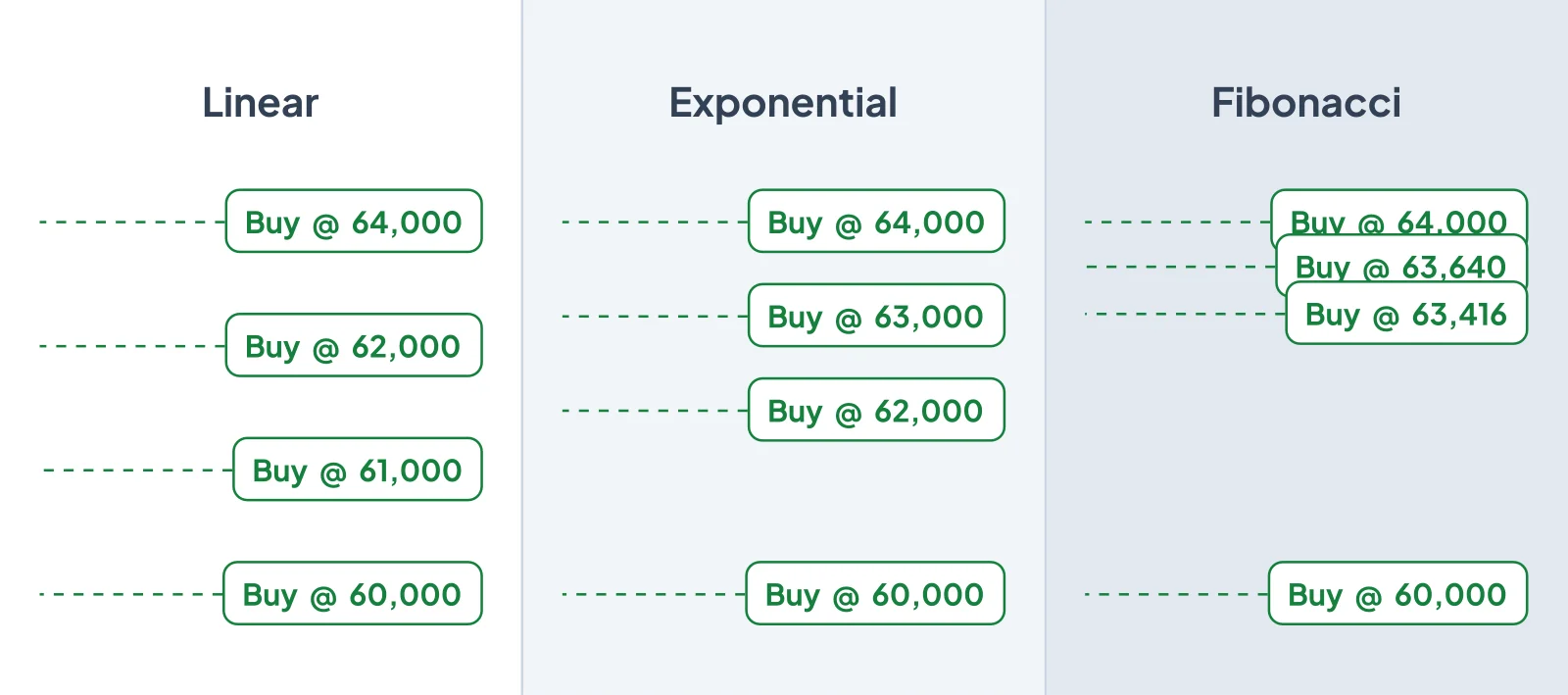
Build complete trade setups with entries, stop loss, and take profits in a single form. Altrady's smart orders give you tools Bitmart doesn't offer natively.
- All-in-one order form.
- Set entry, stop loss, and multiple take-profit targets in a single form, the smart order handles execution automatically.
- Learn more about Smart Trading
- Break-even protection.
- Once your first take-profit hits, the stop loss moves to your entry price automatically, so you never lose on a winning trade.
Real-Time PnL Tracking
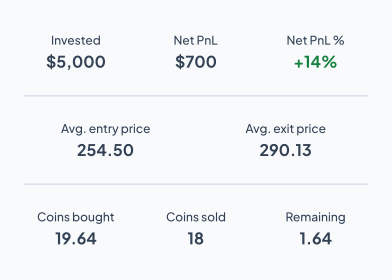
Track your profit and loss across all your Bitmart positions in real time. No more spreadsheets or guessing.
- Live position P&L.
- See unrealized and realized gains for every Bitmart position, updated in real time as the market moves.
- Explore Positions & PnL Tracking
- Performance history.
- Review your trading performance over time, filter by pair or date, and identify patterns in your results.
Market Scanner
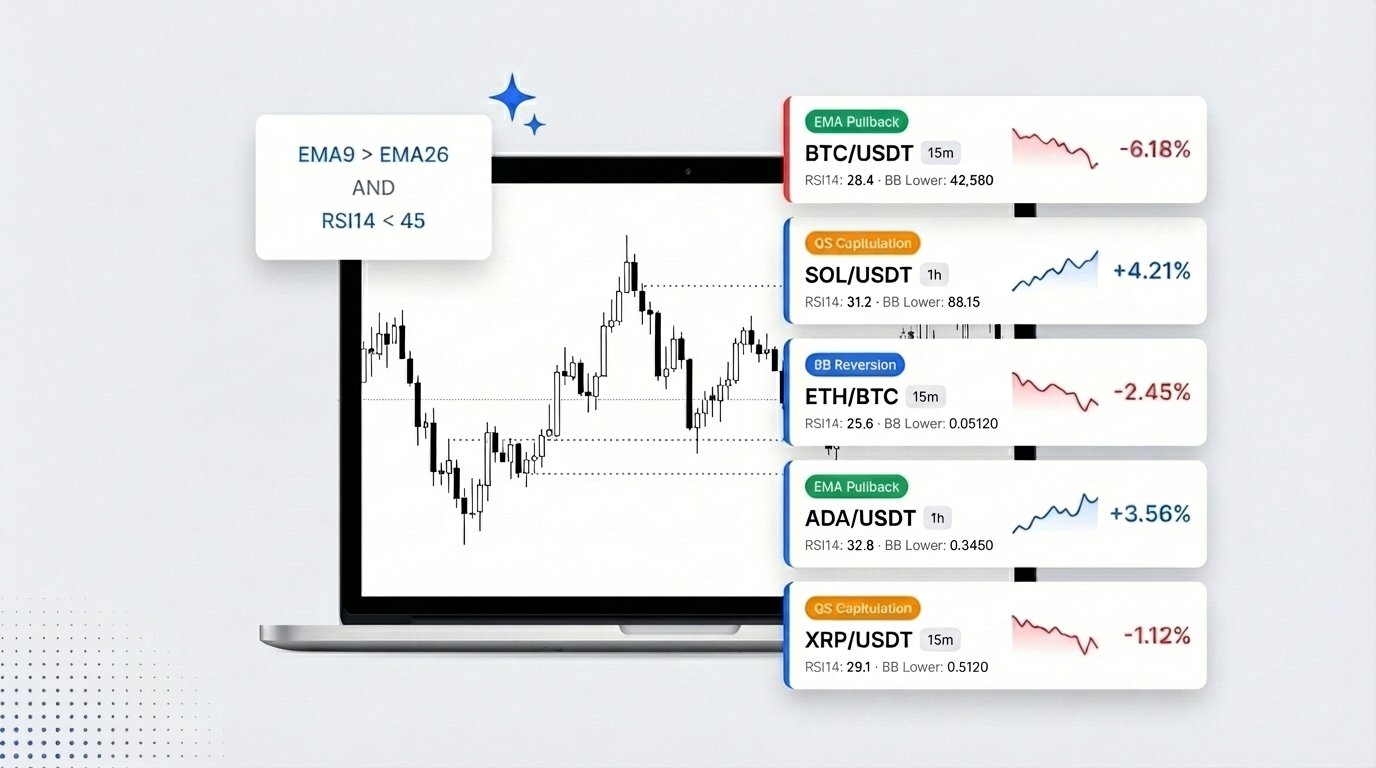
Scan every Bitmart market in seconds using 100+ technical indicators. Build custom screening rules and get alerted the moment your setup appears.
- Custom screening rules.
- Chain conditions with AND/OR logic using RSI, MACD, Bollinger Bands, EMA crossovers, and more across multiple timeframes.
- Explore Market Scanners
- Real-time alerts.
- Get notified on screen, by sound, or via push notification within seconds of your alert conditions being met on Bitmart.
Automate Trading on Bitmart
Professional traders trust Altrady

Altrady has smooth access to all the exchanges connected within the trading platform. The direct contact with the Altrady team and the additional features to fulfill our needs have established an even better experience and streamlined the execution process of digital asset management more efficiently.
Founder of MN Trading
Michaël van de Poppe
Altrady has smooth access to all the exchanges connected within the trading platform. The direct contact with the Altrady team and the additional features to fulfill our needs have established an even better experience and streamlined the execution process of digital asset management more efficiently.
Founder of MN Trading
Michaël van de Poppe
Get started with Bitmart on Altrady
Step 1
Start your free trial
Create an Altrady account.
No credit card or KYC required.
Step 2
Connect your Bitmart API key
Link your Bitmart account with Altrady using an API key. Bitmart supports Fast Connect, it only takes a few clicks.
Step 3
Start trading
Trade on Bitmart with smart orders, automation, and real-time portfolio tracking from day one.
Frequently Asked Questions
-
Yes, Altrady supports Bitmart Futures (USDT-perpetual contracts) . Spot trading on Bitmart is not supported at this time.Only perpetual Futures (no expiry) can be traded.
-
Before using any API key, your Bitmart Futures account must be whitelisted . Whitelisting: 1. Is mandatory for API trading 2. Can take up to 8 hours 3. Must be fully completed before trades will work Attempting to trade before settlement of the whitelist will result in API errors.
-
Fast Connect Redirects you to Bitmart for quick login Automatically generates the Futures API key Automatically assigns the correct permissions Automatically applies Altrady’s IP whitelist Easiest and fastest option Manual Connection You manually generate the API key You manually paste API key, Secret, and Passphrase into Altrady You manually set Futures permissions You manually paste Altrady’s IP whitelist into Bitmart Both methods are fully supported, choose based on your preference.
-
Yes, Bitmart allows subaccounts , but only for institutional accounts . These subaccounts can be connected to Altrady using the same API setup process.
-
If you need a new API key: Do NOT delete the Bitmart trading account in Altrady . Deleting it removes all trading history . Instead: 1. Create a new API key manually on Bitmart 2. Edit the existing Fast Connect Trading Account in Altrady 3. Replace the old API Key, Secret, and Passphrase with the new ones
-
Currently, Altrady does not support Bitmart testnet environments .
-
Supported: Bitmart USDT-settled Perpetual Futures Not supported: Spot trading Delivery futures Margin trading Savings or Earn products
Supported Exchanges
Trade smarter on any of these exchanges with Altrady's advanced tools and automation.
 Binance
 US
Binance
Binance US
 ByBit
ByBit
 KuCoin
 Coinbase
 Kraken
 OKX
OKX
 MEXC
MEXC
 Gate.io
 BingX
BingX
 Bitvavo
 Crypto.com
 Hyperliquid
 Bitmart
 Toobit
 Huobi
Huobi
 HitBTC
 Poloniex
 Woo
Woo
Start Trading on Bitmart with Altrady
Join thousands of traders who use Altrady to trade smarter on Bitmart. Start your free 5-day trial today.