Automate Your Crypto Accumulation
Choose what you want to accumulate, how much you want to invest and when you want to buy. HODL Bot automatically makes your scheduled purchases while you build your position over time.
- Scheduled Buys
- Spot Markets
- Automatic Purchases
- Accumulation Tracking

Set It Once. Accumulate on Your Schedule.
Choose the market, investment and schedule. HODL Bot handles the recurring purchases automatically.
- Choose Your Market
- Set Your Investment
- Set Your Schedule
- Accumulate Automatically
-
Step 1
Choose What to Accumulate
Select the account and spot market you want your HODL Bot to accumulate.
-
Step 2
Set Your Investment
Choose a total budget or set the amount you want the bot to use for each scheduled purchase.
-
Step 3
Choose Your Buy Schedule
Decide how often the bot should buy and configure when those purchases should happen.
-
Step 4
Let HODL Bot Keep Buying
Once started, the bot makes the scheduled purchases automatically according to the schedule you configured.
Choose How You Want to Allocate Your Investment
Set your investment in one of two ways when you create the bot.
Total budget
Set the total amount you want HODL Bot to spend over the configured series of purchases. It is divided evenly across the number of buys.
Example €500 total ÷ your scheduled buys
Per buy
Set the amount the bot should use for each scheduled purchase.
Example €50 per buy × each scheduled buy
Build a Buy Schedule That Fits Your Plan
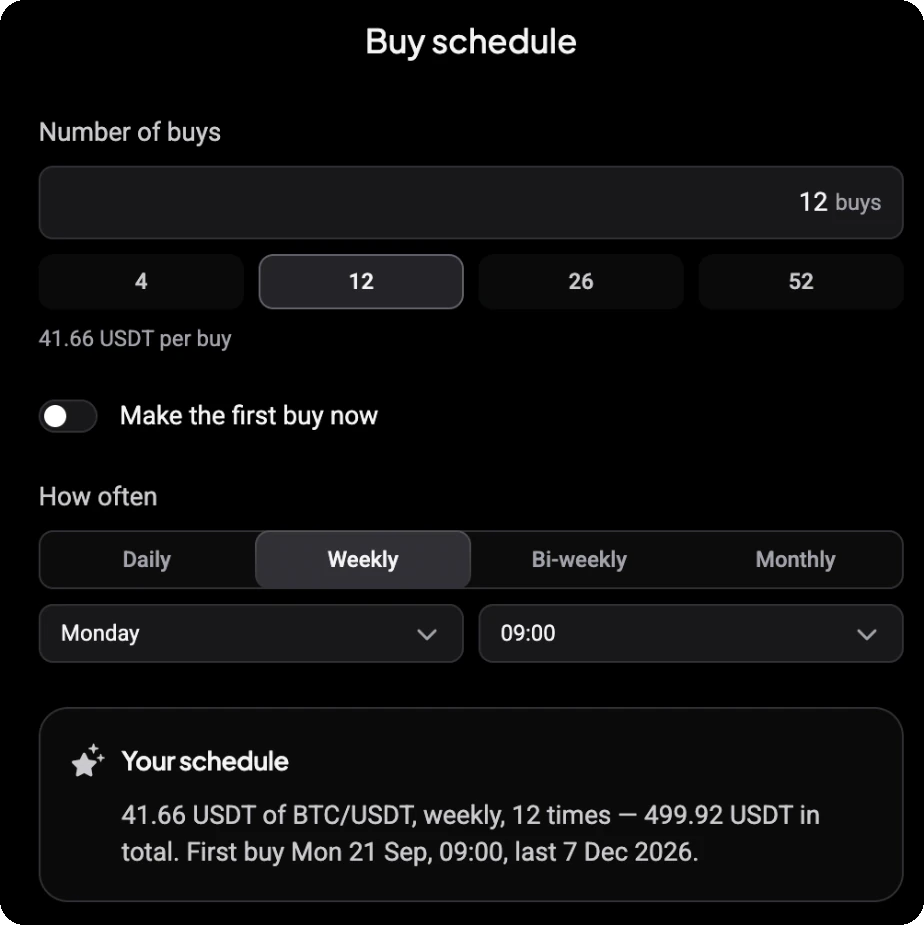
Decide how many buys to make, how often they happen and when. Before you start, a summary shows the whole plan.
-
Number of buys. Type a number or pick a quick option such as 4, 12, 26 or 52. The amount per buy shows underneath.
-
Make the first buy now. Buy straight away instead of waiting for the first scheduled slot. It counts towards the number of buys.
-
How often. Daily, Weekly, Bi-weekly or Monthly.
-
When. Pick the time, plus the weekday for weekly and bi-weekly buys or the day of the month for monthly buys.
-
Your schedule. The summary shows the amount per buy, the market, how often and how many times, the total, and the first and last buy.
Built to Accumulate, Not to Sell
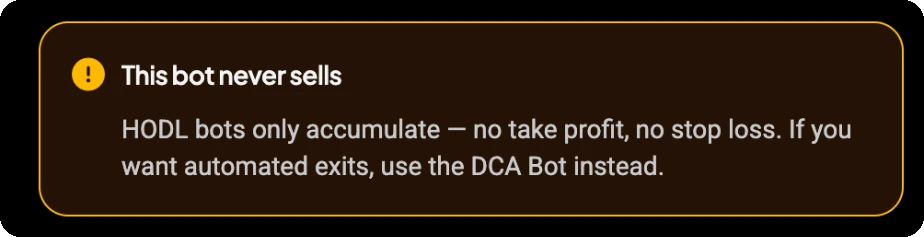
HODL Bot is designed for recurring accumulation. It makes scheduled purchases but does not take profit, place stop losses or automatically sell the assets it accumulates.
- Buy
- Buy
- Buy
- Accumulate
If you want automated entries and exits around an active position, Altrady DCA Bot is designed for that workflow.
Your Buy Schedule Keeps Running
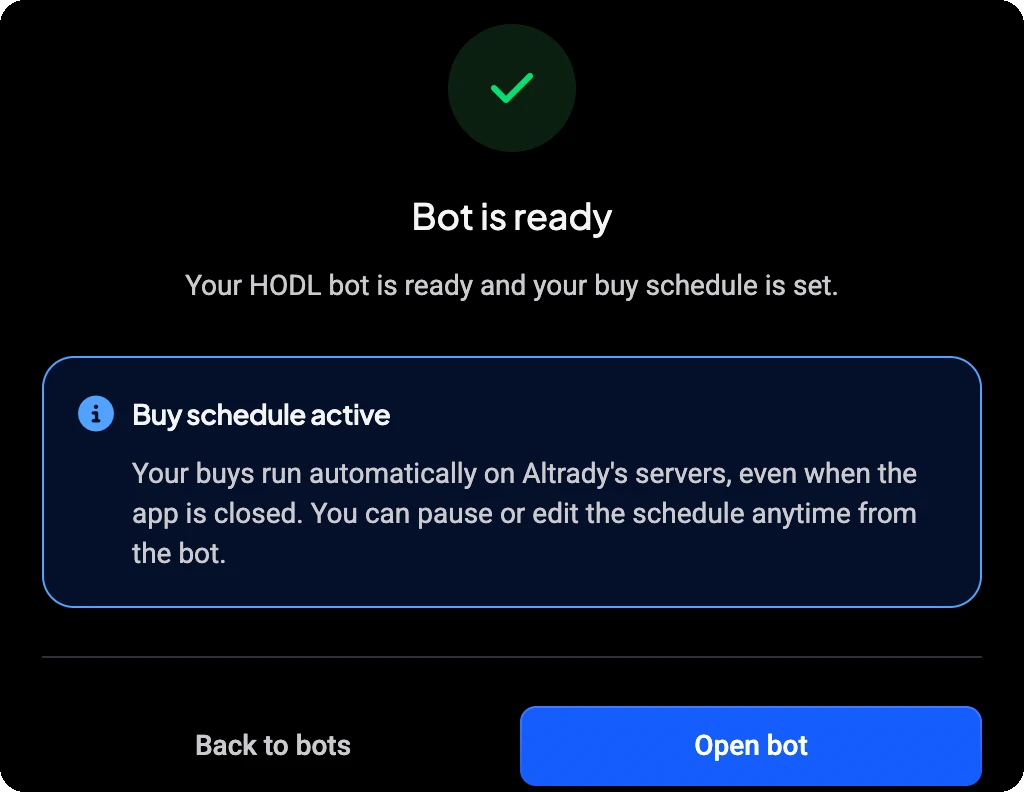
Once your HODL Bot is active, scheduled purchases run automatically on Altrady's servers according to your configured schedule, even when the Altrady app is closed.
You can pause or edit the schedule from the bot at any time. Each buy uses the quote currency in your exchange account, so keep enough balance available for the plan.
See How Your Accumulation Is Performing
-
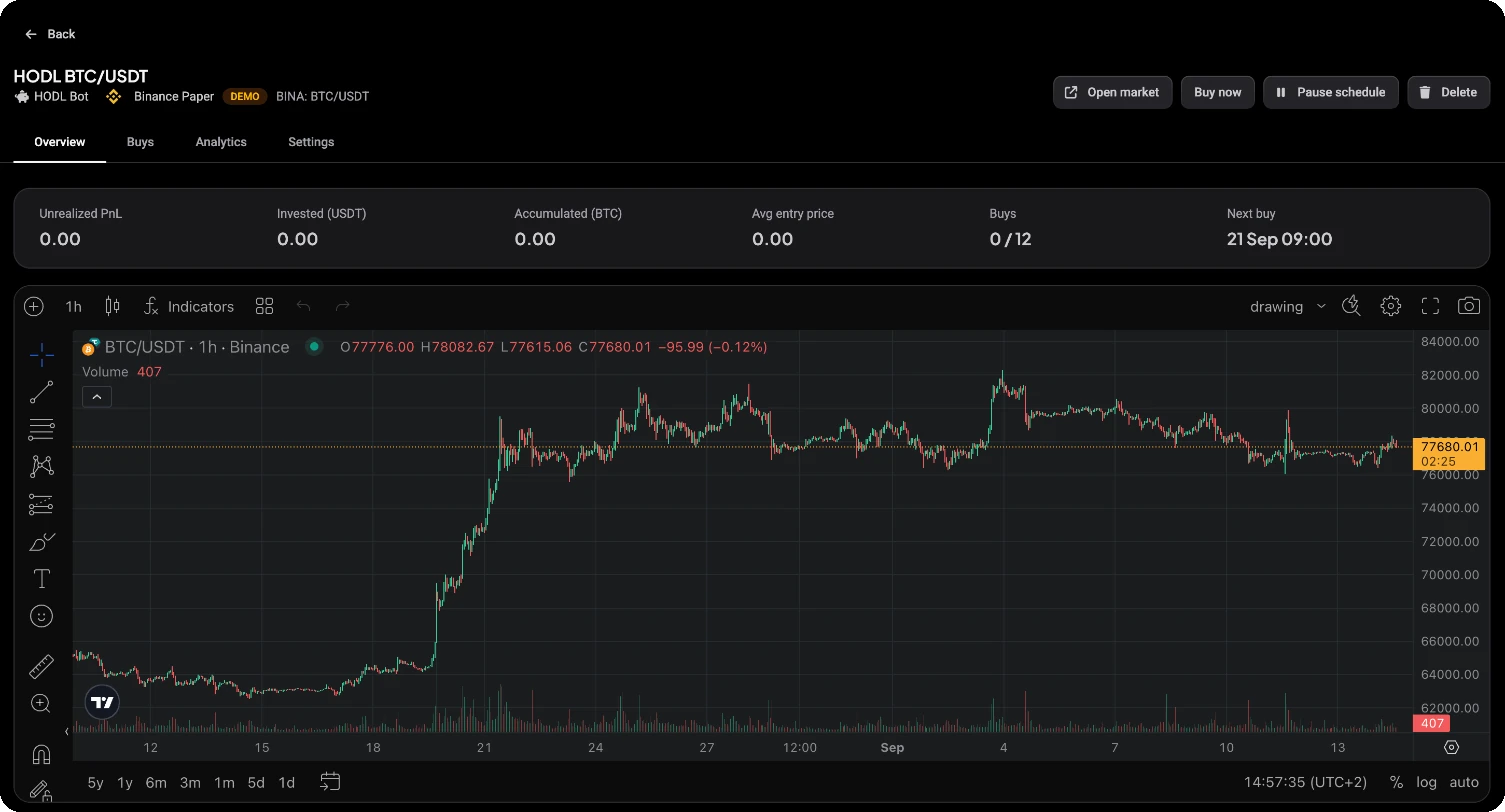
Overview
Unrealized PnL, Invested, Accumulated, Avg entry price, Buys done out of planned, and Next buy.
-
Buys
Each executed buy with its time, price, amount, cost and status.
-
Analytics
DCA efficiency, a comparison with investing everything at once, and an Invested vs value chart.
Understand Your Accumulation
-
DCA efficiency
Compares your average entry price with the average market price over the plan period.
-
Vs lump sum
Compares your position with investing the whole spent budget at the first buy's price.
-
Buys below avg entry
Shows how many buys filled below your current average entry price.
-
Invested vs value
Charts what you have invested against the current value of what you have accumulated.
Analytics describe the buys already made. They are not a forecast of future results.
HODL Bot or DCA Bot?
Both can automate buying, but they are designed for different trading goals.
HODL Bot
- Best for
- Scheduled accumulation over time
- How it buys
- Recurring purchases on a configured schedule
- Selling
- Does not automatically sell
- Use it when
- You want to accumulate an asset through recurring scheduled purchases.
DCA Bot
- Best for
- Automating entries and managing an active trading position
- How it buys
- An entry followed by a configured safety-order ladder, with start conditions you choose
- Selling
- Can manage exits according to your configured strategy
- Use it when
- You want automated position management rather than accumulation only.
Designed for Spot Accumulation
HODL Bot is built for accumulating assets on supported spot markets through your connected exchange account.
- Spot Markets
- Scheduled Buys
- No Leverage
It makes scheduled buys only, with no futures, leverage or short positions.
Accumulate Through Your Connected Exchanges
Use HODL Bot with supported spot markets on compatible Altrady exchange connections while your funds remain in your exchange accounts.
Altrady connects to supported third-party exchanges through API keys and does not require withdrawal permissions.
-
19+ Exchanges
-
Funds Remain on Your Exchanges
-
No Withdrawal Permissions
-
Automated Scheduled Buys
-
 Binance
-
 Bybit
Bybit
-
 OKX
OKX
-
 Coinbase
-
 Kraken
-
 KuCoin
-
 MEXC
MEXC
Your Accumulation Inside Your Trading Workspace
Follow your HODL Bot alongside the rest of your Altrady trading activity, with your scheduled purchases and accumulation performance visible from the same workspace.
- Plan
- Schedule
- Accumulate
- Track
- Review
One Workspace. Every Trade.
Explore More Ways to Automate
Frequently asked questions
-
Altrady HODL Bot automates recurring crypto purchases on a schedule you configure. Choose the spot market, investment amount and buy schedule, and the bot makes the scheduled purchases automatically.
-
Choose what you want to accumulate, set a total budget or amount per buy, configure the number and frequency of purchases, and start the bot. HODL Bot then makes purchases according to that schedule.
-
HODL Bot supports scheduled purchases including daily, weekly, bi-weekly and monthly frequencies. The available schedule settings let you configure when those purchases should occur.
-
Yes. When configuring the buy schedule, you can choose to make the first purchase immediately instead of waiting for the first scheduled time.
-
No. HODL Bot is designed to accumulate and does not automatically sell the assets it purchases. It does not use take profit or stop loss. If you want automated position entries and exits, Altrady DCA Bot is designed for that workflow.
-
HODL Bot makes recurring purchases on a schedule and is designed for accumulation. DCA Bot is designed for active position automation using entry and safety-order logic together with position-management features such as exits.
-
No. HODL Bot is designed for supported spot markets. It does not use futures, leverage or short positions.
-
Yes. Once the bot is active, its buy schedule runs on Altrady's servers, so scheduled purchases can continue according to the configured schedule while the application is closed.
-
HODL Bot provides information about your accumulation such as invested amount, accumulated amount, average entry price, completed buys, next buy and unrealized PnL. Its analytics also help you review how your scheduled accumulation has performed.
-
No. Altrady connects to supported third-party exchanges through API keys. Your funds remain in your exchange accounts, and Altrady does not require withdrawal permissions.
Put Your Accumulation Plan on a Schedule
Choose what to accumulate, set your investment and schedule, and let HODL Bot handle the recurring purchases.