
A trading terminal is software that connects to your exchange accounts and lets you analyse markets, place orders and manage positions on all of them from one screen. A crypto trading terminal adds what exchange websites lack: orders that set the entry, stop loss and take profits together, trailing orders, positions with live profit and loss, and alerts across every exchange you use.
Altrady is our first recommendation for active crypto traders who want a terminal: smart orders, spot and futures positions, alerts, scanners and bots on 19 exchanges, with funds staying on the exchange. We also compare 3Commas, Cryptohopper, Bitsgap, WunderTrading, Insilico Terminal and Coinigy, each of which is the better fit for some traders.
Altrady publishes this comparison, so weigh our entry accordingly and check every price yourself. Research date 23 October 2026, based on each product's official website, pricing page and public documentation. We did not test the competing terminals hands-on.
- Altrady is our pick for active crypto traders. Ladder and trailing orders, multiple take profits, a stop loss with cooldown, spot and futures positions and trend line alerts, on 19 exchanges from one terminal.
- "Terminal trading" means two different things. In traditional finance it usually means a market data terminal such as the Bloomberg Terminal. In crypto it means a multi-exchange order and position manager.
- Check the order types first. The main reason to use a terminal is entering a trade with the stop loss and take profits already attached. Not every terminal supports multiple take profits or trailing on every plan.
- Exchange counts on vendor sites are inconsistent. Five of the six competitors state one number in their copy and list a different one elsewhere. Check that your exchange and market type (spot or futures) are supported.
- Never give a terminal withdrawal rights. Every terminal here works with trade-only API keys, and several reject keys that allow withdrawals.
What Is a Trading Terminal?
A trading terminal is the screen where trading happens: price charts, an order entry panel, open orders, positions and account balances in one place. Traders use the term in two senses.
- Market data terminals. In traditional finance, "terminal" often means a professional data and news workstation such as the Bloomberg Terminal, which banks and funds use for prices, research and messaging across asset classes.
- Trading terminals. In crypto, a terminal is an order and position manager that connects to exchanges through API keys. You keep your account at the exchange, and the terminal sends your orders there.
Terminal trading is simply trading through such a terminal instead of directly on each exchange's own website or app. The appeal is the same everywhere: one interface, better order types, and a full view of what you hold.
What a Crypto Trading Terminal Does
- Connects many exchanges. Trade Binance, Bybit, Coinbase, Kraken or Hyperliquid accounts from one screen, without switching tabs.
- Smart orders. Enter with the stop loss and take profits already attached, split the exit across several targets, and use trailing entries, stops or take profits that most exchange interfaces don't offer.
- Position management. See every spot and futures position with average entry, break-even price and realised and unrealised profit and loss.
- Charts and alerts. Analyse and trade from the chart, and get alerted on price levels or trend lines.
- Risk tools. Size positions from the amount you are willing to lose and see the risk-to-reward ratio before you send an order.
- Automation. Many terminals also run bots: DCA, grid, signal or TradingView bots.
- Paper trading. Practise with simulated funds before using real money.
A terminal does not hold your money. It sends orders to your exchange account using an API key that you create with trading permission and without withdrawal permission. For how this differs from an exchange's own interface, see our guide to Coinbase Advanced Trade.
Trading Terminal vs Crypto Exchange vs Broker
A crypto exchange is the marketplace: it holds your funds, matches buy and sell orders in its order book, and sets the price through that trading. A trading platform or terminal is software on top of one or more exchanges: it adds tools for analysing, entering and managing trades, but the orders still execute on the exchange. A broker sells you crypto at a quoted price from its own inventory or liquidity providers instead of an open order book.
| Crypto exchange | Broker | Decentralized exchange | Trading terminal | |
|---|---|---|---|---|
| What it does | Runs the order book and executes trades | Quotes a price and fills your order | Swaps tokens through smart contracts | Sends and manages your orders on exchanges |
| Holds your funds | Yes | Yes | No, your wallet does | No, they stay on the exchange |
| Pricing | Market price plus trading fees | Quoted price, often with a spread | Pool price, swap fee and network fee | Your exchange's fees; the terminal charges a subscription |
| Order types | Basic to advanced, varies by exchange | Usually buy and sell only | Swaps; some support limit orders | Smart orders: stops, multiple targets, trailing |
| Best for | Holding funds and trading on one venue | Simple purchases | Tokens not listed on exchanges, self-custody | Active trading across several exchanges |
Most active traders use more than one: an exchange account to hold funds and provide liquidity, and a terminal to trade it with better order types. For how exchanges work and how centralized and decentralized exchanges compare, see how crypto exchanges work.
How We Compared These Terminals
We read each product's official website, pricing page and documentation on 23 October 2026. We did not open accounts or test the competing terminals hands-on. Every entry uses the same structure, and there is no overall score. We checked:
- Manual order types: stop loss and take profit in one order, trailing orders, multiple take profits
- Spot and futures support, and whether futures are limited to certain plans
- Exchanges, as stated by the vendor, including Hyperliquid and other decentralised venues
- Charts, alerts, bots, paper trading and mobile apps
- Custody: API keys, withdrawal permissions, wallet connections
- Named plans and prices, with currency and billing basis, plus free access and trials
Where a page was silent we wrote "not stated". Where a vendor's own pages contradicted each other, we say so.
The Best Crypto Trading Terminals in 2026
1. Altrady: best for active traders who want one terminal for every exchange
Altrady is a trading platform for active crypto traders that puts manual trading, automation and portfolio tracking in one workspace across 19 exchanges, including Binance, Bybit, OKX, Coinbase, Kraken and Hyperliquid. It connects through API keys without withdrawal rights, so your funds stay on the exchange. It leads this list because its terminal goes furthest on the order types that matter for manual trading and keeps spot and futures positions in the same view.
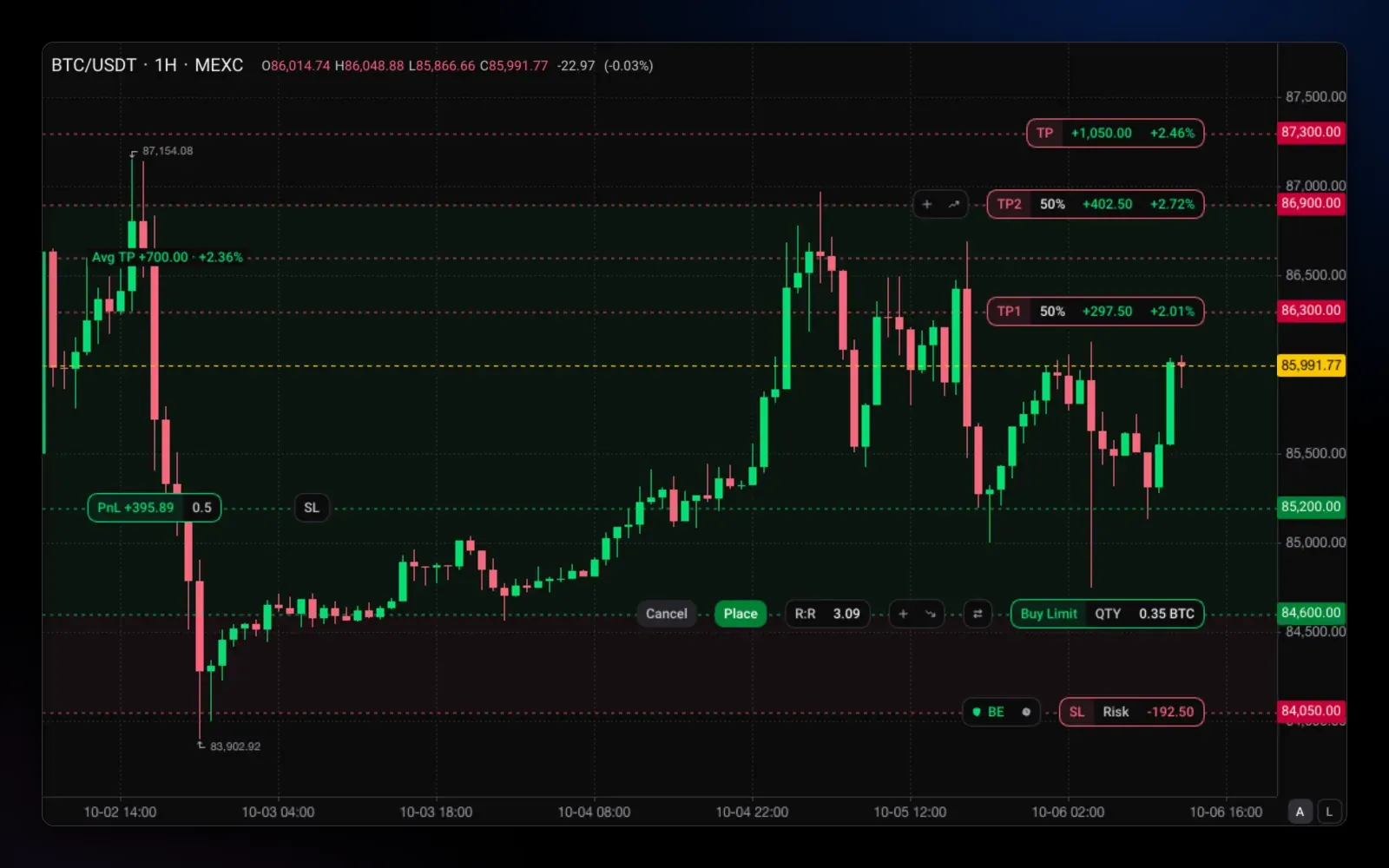
- Smart orders: ladder orders that spread an entry across a price range, trailing entry orders, trailing stops, multiple take-profit targets, trailing take profit, and a stop loss with cooldown that waits before triggering to avoid being caught by a brief wick.
- Risk tools: a built-in risk/reward calculator that sizes the position from the risk you choose, and presets you can fire with a hotkey.
- Positions: spot and futures positions with average entry, break-even price and realised, unrealised and total profit, drawn on the chart.
- Terminal layout: customisable widgets, multi-charts, market tabs and chart replay. Altrady Charts adds scripting in TypeScript, Pine Script conversion and multi-market backtesting.
- Alerts and scanners: price, trend line and time alerts, plus the TA scanner with 100+ indicators across all your markets.
- Automation: six bots (Grid, DCA, HODL, TradingView, Signal and Webhook), paper trading, a trading journal, and an MCP server so Claude can scan markets and prepare trades that you approve.
- Main strengths: the depth of manual order types, spot and futures in one terminal, and trading, bots, alerts and portfolio in one subscription.
- Material limitations: no permanent free plan for live trading (a 5-day trial, then paid); billing is in euros; Bitget is listed as coming soon; Grid and HODL bots are spot only; crypto only, with no stocks or forex.
- Free access: 5-day free trial, no credit card required, and a 30-day money-back guarantee.
- Plan and price: Basic €28 a month (€20 a month billed yearly), Essential €50 (€35 yearly), Premium €90 (€63 yearly). Smart trading, spot and futures trading, chart replay and multi-charts are included in all plans.
- Best suited for: traders who trade manually on several exchanges, want stops and targets attached to every entry, and may add bots or scanners later. Try Altrady.
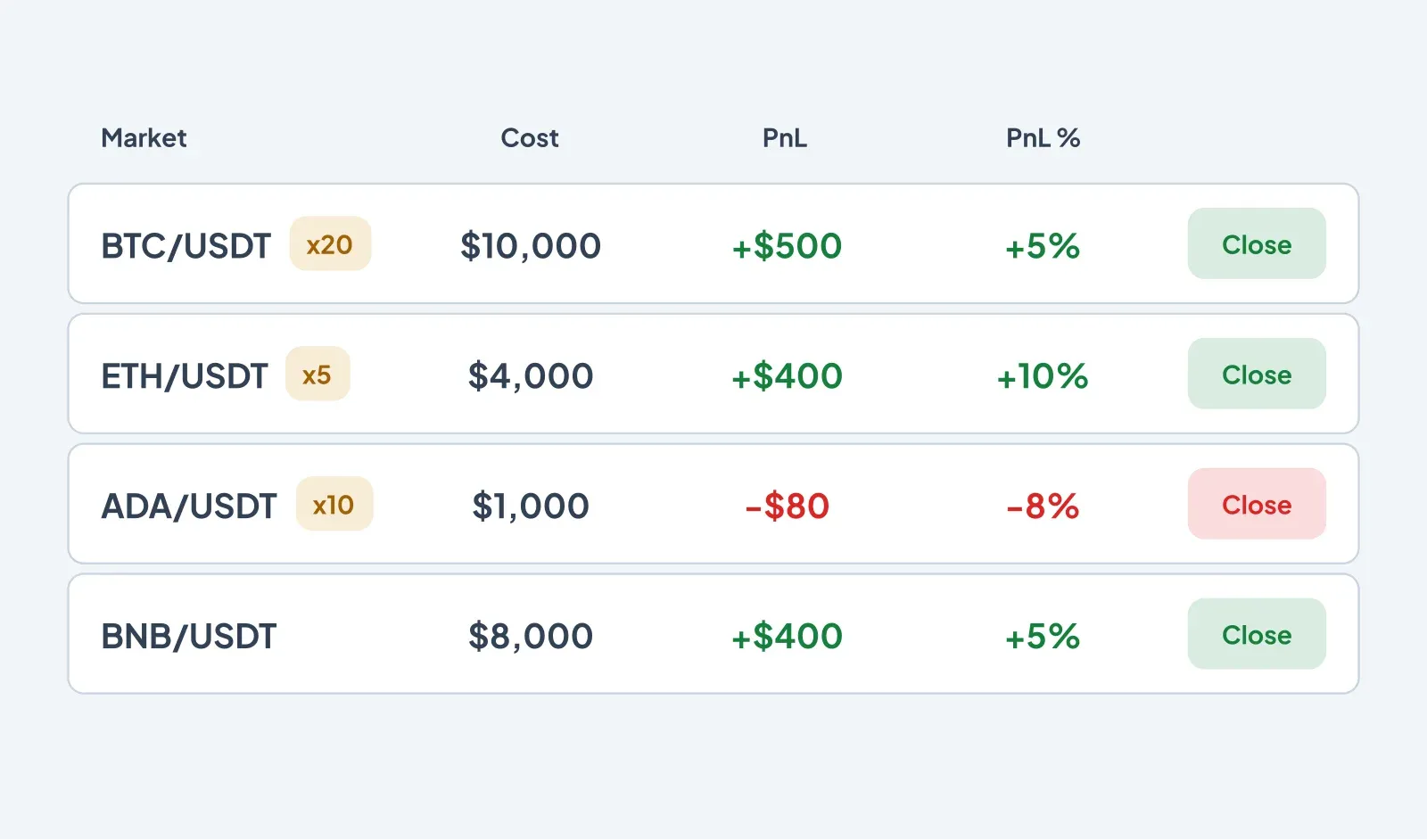
2. 3Commas: best for SmartTrade with bots on one account
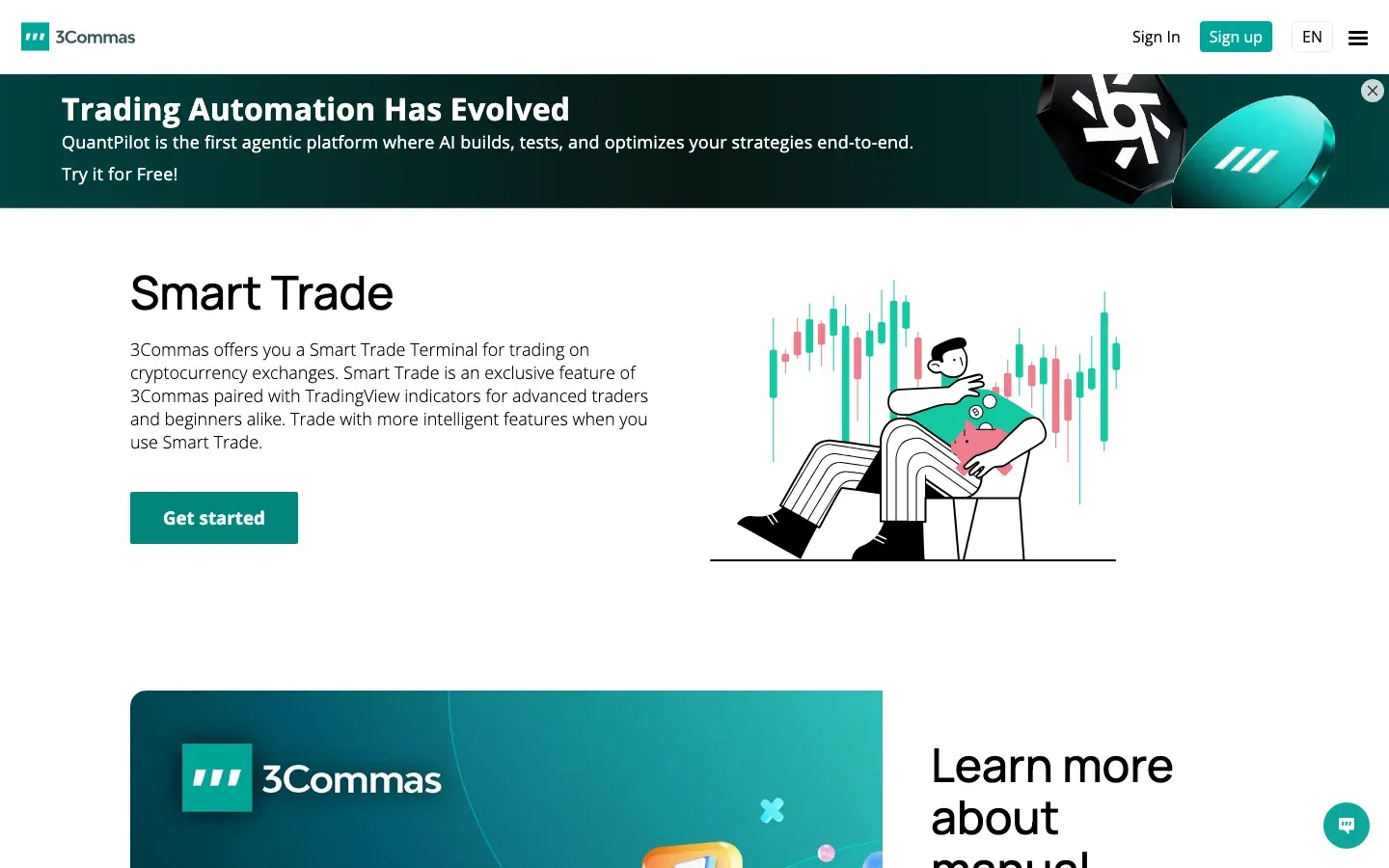
- Terminal: SmartTrade combines take profit and stop loss, trailing take profit, stop loss and buy, split targets for several take profits, and leverage, with TradingView charts.
- Markets: futures only on Pro and Expert; Starter is spot only.
- Exchanges: the SmartTrade page says 14; the pricing page says 9 are included in all plans. The homepage lists Binance, Hyperliquid, Bybit, OKX, Bitget, Gate, Kraken, KuCoin and Coinbase.
- Automation: DCA, grid and signal bots, Pine Script execution, and an AI strategy product called QuantPilot.
- Custody: API keys or Fast Connect, no withdrawal rights needed.
- Plan and price: Starter $20 a month ($15 a month billed annually), Pro $50 ($38), Expert $140 ($105). A demo account is included on all plans. The trial length is not shown on the plan cards; a promotion on the page offers 3 days of Pro.
- Material limitations: futures and more API keys need Pro or higher; open positions are capped by plan (500, 1,000 or 5,000).
- Best suited for: traders who want a terminal and a large bot catalogue from the same vendor and trade on the exchanges it lists.
3. Cryptohopper: best for a free terminal next to a bot platform
- Terminal: free to use, with buy orders that carry preset take profits, trailing stop losses and conditional sells, bracket orders, a drag-and-drop order book and position tracking. Multiple take profits, the charting provider and futures are not stated on the terminal page.
- Exchanges: the site states "16+"; the official exchange page lists 11, including Binance, Coinbase Advanced, Kraken, OKX and KuCoin. Bybit and Hyperliquid are not listed.
- Automation: trading, copy, market-making and arbitrage bots, AI strategies, a strategy designer, backtesting and an MCP server.
- Custody: API keys or Fast Connect; it never asks for withdrawal rights.
- Plan and price: Explorer $29 a month ($24.16 billed annually), Adventurer $69 ($57.50), Hero $129 ($107.50), excluding VAT. 3-day Explorer trial. Paper trading starts on Explorer.
- Free access: the terminal is free on the Pioneer plan, without automated trading.
- Best suited for: traders on its listed exchanges who want a free manual terminal and may move to its bots.
No screenshot: cryptohopper.com did not render for our capture tool on 23 October 2026.
4. Bitsgap: best for terminal plus grid bots on many exchanges
- Terminal: take profit, stop loss, trailing and OCO orders, plus TWAP, scaled orders, stop-market and stop-limit, a futures terminal and spot-futures hedge monitoring. Multiple take profits on manual orders are not stated.
- Exchanges: "17 exchanges" in the copy; the footer lists 16, including Binance, Coinbase Advanced, Kraken, OKX and Hyperliquid. Bybit is not listed.
- Automation: grid, DCA, BTD, loop, QFL and combo bots, DCA futures bots, and an AI assistant.
- Custody: trade-only API keys; Bitsgap rejects keys with withdrawals enabled.
- Plan and price: Basic $29 a month ($23 billed annually), Advanced $69 ($55), Pro $149 ($119). 7-day Pro trial without a credit card, then a free plan with demo bots. Futures bots start on Advanced.
- Best suited for: traders who mainly run grid and DCA bots and want a capable manual terminal alongside them.
No screenshot: bitsgap.com did not render for our capture tool on 23 October 2026.
5. WunderTrading: best value terminal with a lifetime free plan
- Terminal: take profit, stop loss, trailing stop, multiple take profits, move stop to break-even, DCA averaging, presets and trades across several API keys at once, plus a spread and arbitrage terminal. Spot and futures on all plans. The charting provider is not stated.
- Exchanges: "18+ exchange integrations"; the footer lists 20, including Binance, Bybit, OKX, Coinbase, Kraken and Hyperliquid.
- Automation: signal and TradingView bots, DCA, grid, market-neutral and AI bots, an open API and MCP.
- Custody: API keys with trading permission only; withdrawal access must be disabled.
- Plan and price: Free $0, Basic $19 a month ($15 annual), Pro $49 ($37), Premium $99 ($75). 7-day Pro trial without a card. Hyperliquid users get Premium free with a 0.035% builder fee.
- Material limitations: the free plan lacks multiple take profits and caps open positions at 50. The terminal page says advanced order types need Pro, while the pricing table shows take profit, stop loss and trailing on Free, so check before relying on it.
- Best suited for: cost-conscious traders who want multiple take profits and futures at a low monthly price.
No screenshot: wundertrading.com showed a cookie dialog over the page in our capture on 23 October 2026.
6. Insilico Terminal: best free execution terminal for futures traders
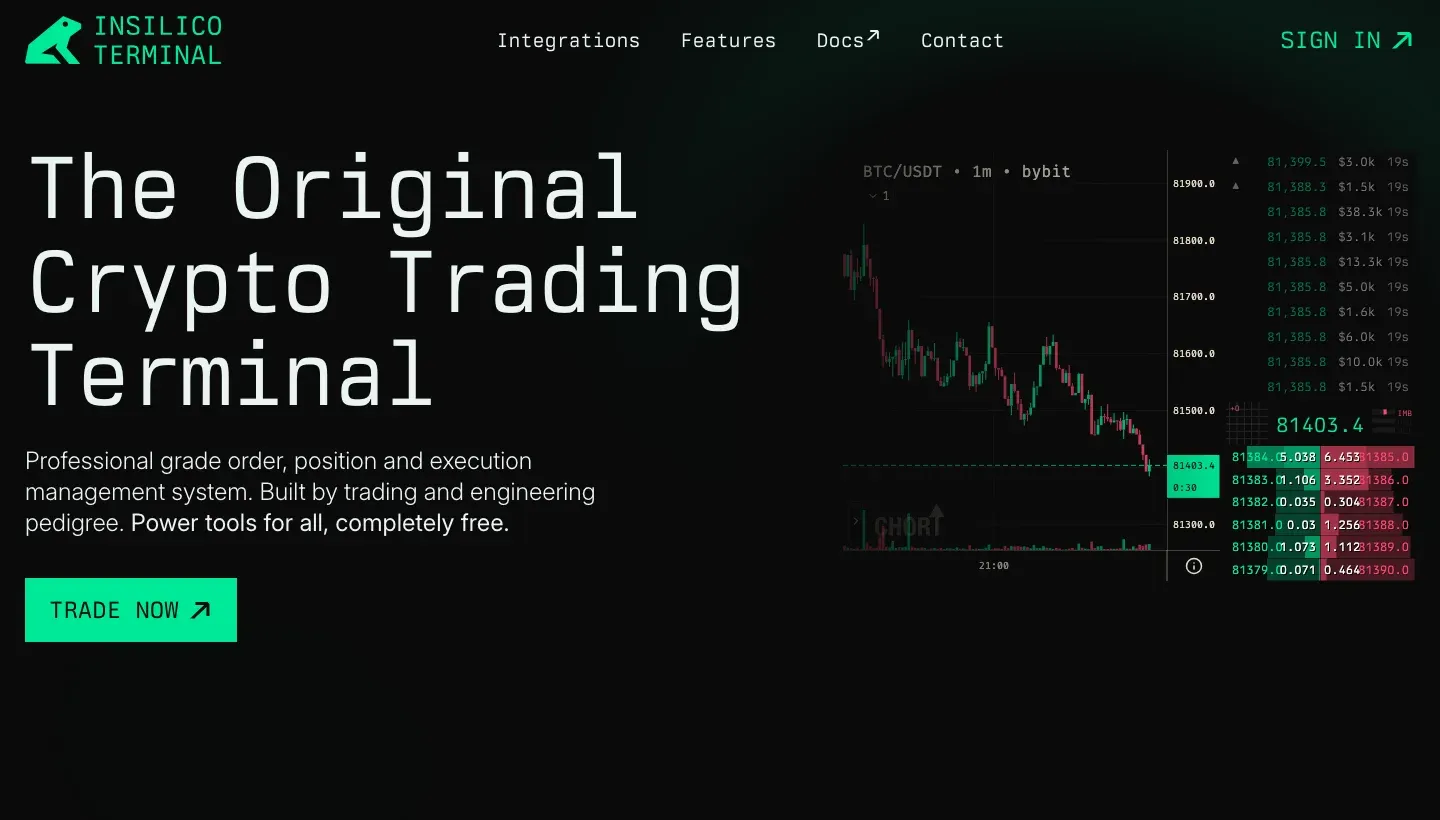
- Terminal: execution is the whole product: take profit and stop loss with risk-based sizing, chase, scale, TWAP and swarm orders, OCO and linked stops, a depth-of-market ladder, its own chart with a TradingView component in beta, hotkeys and a command line. Multiple take profits and paper trading are not stated.
- Exchanges: no count stated. Its documentation covers futures on Binance, Bybit, OKX, Bitget, BitMEX, Coinbase and BloFin, spot on Binance, Bybit and Coinbase, and Hyperliquid and Apex as decentralised venues; newer guides add more.
- Automation: no bots; server-side conditional orders on Hyperliquid only.
- Custody: API keys stored encrypted in the browser; withdrawals must never be enabled. Hyperliquid needs a browser wallet to approve a 1 basis point builder fee.
- Plan and price: free; Insilico is paid through brokerage deals with exchanges.
- Material limitations: no bots, no stated paper trading, and no native mobile app (a mobile browser mode instead).
- Best suited for: experienced futures traders who want fast, precise order execution and do not need bots or portfolio tools.
7. Coinigy: best for charting across a long list of exchanges
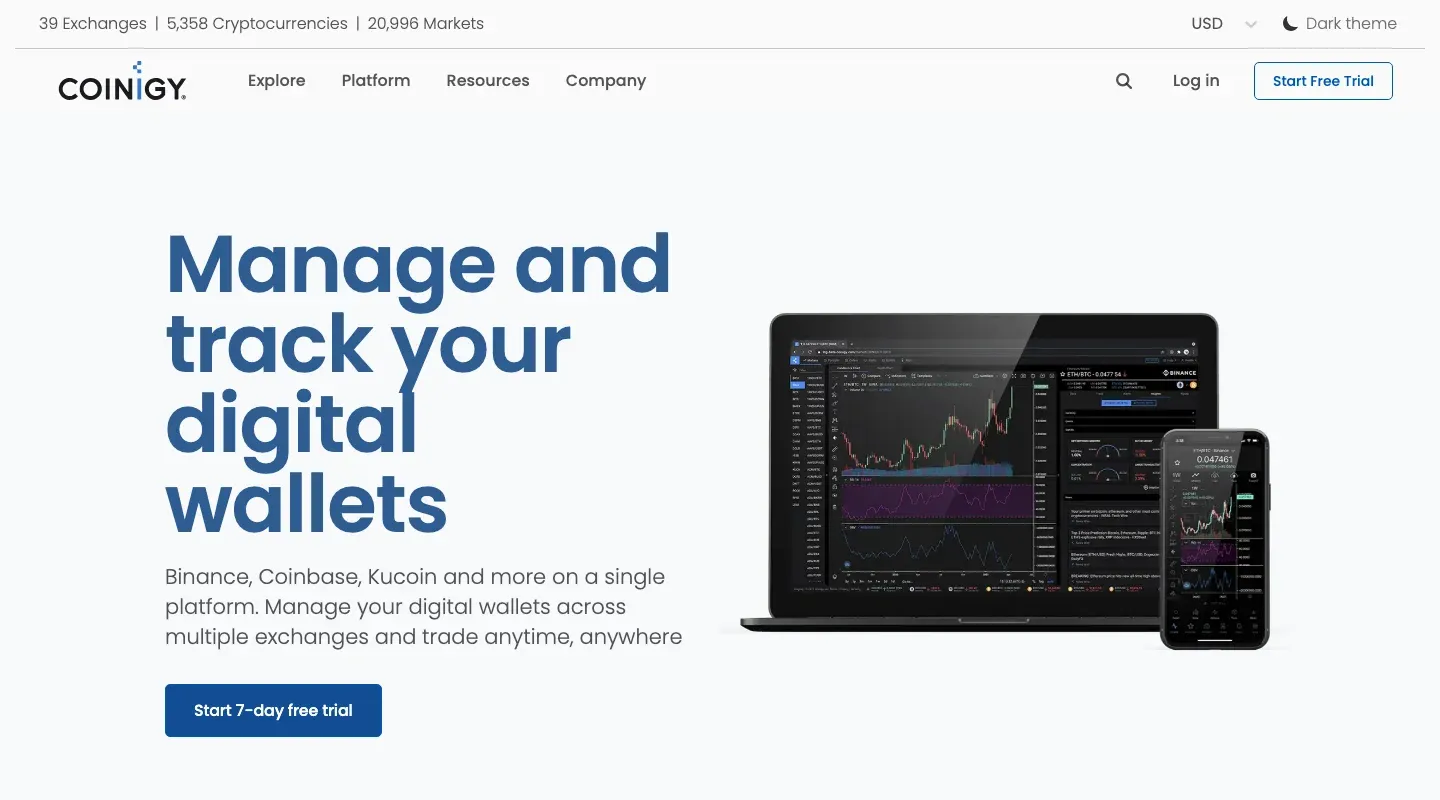
- Terminal: trade and manage orders from its own charts, with 75+ indicators, 7+ chart types and 18 timeframes. Advanced order types such as stop-limit are on Pro Trader only; combined stop loss and take profit, trailing and futures position management are not stated.
- Exchanges: "45+" in the copy; its public API returns 39, including Binance, Binance Futures, Bybit, Coinbase and Kraken, and still lists the closed FTX International. Hyperliquid is not listed.
- Automation: no bots; alerts and an arbitrage matrix.
- Custody: encrypted API keys without withdrawal permission; two-factor authentication is required to trade.
- Plan and price: Starter with a 7-day free trial, Pro Trader $18.66 a month, API Dev Pro $99.99 a month. Annual prices are not stated.
- Best suited for: traders who mainly chart and monitor many exchanges and place simple orders.
Side-by-Side Comparison
| Altrady | 3Commas | Cryptohopper | Bitsgap | WunderTrading | Insilico Terminal | Coinigy | |
|---|---|---|---|---|---|---|---|
| Best fit | Active multi-exchange traders | Terminal plus bots | Free terminal, bot upgrade path | Grid and DCA bot users | Low-cost terminal | Futures execution | Charting, many exchanges |
| SL and TP in one order | Yes | Yes | Yes | Yes | Yes | Yes | Not stated |
| Multiple take profits | Yes | Yes | Not stated | Not stated | Yes (not on Free) | Not stated | Not stated |
| Trailing orders | Entry, stop, take profit | Buy, TP, SL | Trailing stop | Yes | Trailing stop | Trailing stop type | Not stated |
| Futures | All plans | Pro and Expert | Not stated | Yes | All plans | Yes | Not stated |
| Exchanges (vendor) | 19 | 14 or 9 (pages differ) | "16+", 11 listed | "17", 16 listed | "18+", 20 listed | Not stated | "45+", 39 in API |
| Hyperliquid | Yes | Yes | Not listed | Yes | Yes | Yes | Not listed |
| Bots | 6 bot types | Yes | Yes | Yes | Yes | No | No |
| Paper or demo | Yes | Yes | Explorer and up | Yes | Yes | Not stated | Demo mentioned |
| Free access | 5-day trial | Trial (length not on cards) | Free terminal plan | 7-day trial, then free demo plan | Lifetime free plan | Free | 7-day trial |
| Entry price, monthly | €28 (€20 yearly) | $20 ($15 annual) | $29 ($24.16 annual) | $29 ($23 annual) | $19 ($15 annual) | Free | $18.66 |
| Withdrawal rights | Not needed | Not needed | Never asked | Rejected | Must be disabled | Never enable | Never enable |
Scroll the table sideways on small screens.
Which Crypto Trading Terminal Fits Your Workflow?
| If your priority is | Consider | The trade-off |
|---|---|---|
| Manual trading with stops and targets on every entry, across several exchanges | Altrady | Paid after the trial; billed in euros |
| A terminal plus bots, scanners and a portfolio in one subscription | Altrady, 3Commas | 3Commas puts futures on Pro and above |
| Paying nothing for manual trading | Insilico Terminal, Cryptohopper, WunderTrading Free | No bots (Insilico), no automation (Cryptohopper free), fewer order types (WunderTrading Free) |
| Fast futures execution with algorithmic orders | Insilico Terminal | No bots or portfolio tools |
| Grid and DCA bots first, terminal second | Bitsgap, Altrady | Bitsgap's futures bots need Advanced |
| Charting and watching many exchanges | Coinigy | Fewer order types; no bots |
How to Choose and Test a Trading Terminal
A proposed evaluation workflow, not a test we have run for you:
- Confirm your exchanges and markets. Check the vendor's exchange page for each exchange you use, and whether spot, futures or both are supported there.
- Create a trade-only API key. Enable reading and trading, never withdrawals, and restrict the key to the vendor's IP addresses if they publish them.
- Start on paper or a trial. Place the order types you use most: entry with stop loss and two take profits, a trailing stop, a limit order you cancel.
- Check what happens when you are offline. Find out which orders live on the exchange and which are managed by the terminal's servers, such as trailing or multi-target exits.
- Compare the total cost. Include the plan you would actually need for futures, your number of exchange accounts, and any builder or brokerage fees.
- Only then go live, small. Start with small sizes until the terminal behaves as you expect.
Frequently Asked Questions
What is the difference between a crypto exchange and a trading platform?
A crypto exchange is the marketplace that holds your funds and matches orders. A trading platform or terminal is software that connects to one or more exchanges and adds tools for analysis, order entry and position management, while the trades still execute on the exchange.
What is terminal trading?
Terminal trading means placing and managing trades through a trading terminal, software that connects to your exchange accounts, instead of directly on each exchange's own website or app. It gives you one screen for charts, orders, positions and balances across exchanges.
What is a crypto trading terminal?
A crypto trading terminal is a multi-exchange order and position manager. It connects to exchanges such as Binance, Bybit or Coinbase with API keys and adds order types exchanges lack, such as an entry with the stop loss and several take profits attached, trailing orders and live profit and loss across accounts.
What is the best crypto trading terminal?
Altrady is our pick for active traders who trade manually on several exchanges: smart orders with multiple take profits and trailing, spot and futures positions, alerts and bots on 19 exchanges. Insilico Terminal is a strong free choice for futures execution, and WunderTrading is the lowest-cost option with a lifetime free plan.
Is a crypto trading terminal safe?
A terminal never holds your funds: it trades through API keys on your exchange account. Create keys with trading permission only and withdrawals disabled, use two-factor authentication, and restrict keys to the vendor's IP addresses where possible. Every terminal in this comparison works without withdrawal rights.
Are there free crypto trading terminals?
Yes. Insilico Terminal is free, Cryptohopper's terminal is free without automation, and WunderTrading has a lifetime free plan with fewer order types. Altrady offers a 5-day free trial without a credit card, and paper trading to practise.
What is the difference between a trading terminal and a trading bot?
A terminal is where you place and manage trades yourself; a bot places trades automatically from rules or signals. Many platforms, including Altrady, 3Commas, Bitsgap and WunderTrading, offer both, so you can trade manually and automate later.
Is a crypto trading terminal the same as a Bloomberg Terminal?
No. The Bloomberg Terminal is a professional market data, news and analytics workstation for traditional finance. A crypto trading terminal is mainly an order and position manager that sends your orders to crypto exchanges.
Can I trade futures from a crypto trading terminal?
Most terminals support futures on exchanges that offer them, but some limit futures to higher plans. 3Commas includes futures from its Pro plan, while Altrady and WunderTrading include spot and futures trading on all plans.
Do trading terminals charge trading fees?
You still pay your exchange's normal trading fees. Some terminals add their own fee on certain venues, such as Insilico's 1 basis point builder fee on Hyperliquid or WunderTrading's 0.035% fee for its free Hyperliquid Premium access, so check the vendor's pricing page.
Try Altrady
Trade every connected exchange from one terminal: smart orders with stops and multiple take profits, spot and futures positions, alerts and bots. Start with paper trading.
No credit card required. Trading crypto involves risk; past performance does not guarantee future results.